Table of Contents
- What Is Thumbnail SEO?
- Does YouTube Use Thumbnails as a Direct Ranking Signal?
- How YouTube Search Actually Works
- The Impression-to-Click Funnel
- What Impressions CTR Actually Measures
- Why CTR Alone Does Not Determine Rankings
- Watch Time, Viewer Satisfaction, and Engagement
- Traffic Sources and Why CTR Varies
- When Changing a Thumbnail Makes Sense
- SEO-Friendly Thumbnail Strategy
- Thumbnail SEO Checklist
- Frequently Asked Questions
Thumbnails don't directly rank videos — but they shape the clicks, watch behavior, and engagement signals that do. Here's exactly how it works.
Every creator has been there — you spend hours editing a video, spend another hour designing the thumbnail, hit publish, and then watch the analytics with one burning question: does any of that thumbnail work actually help the video rank?
The short answer is: not directly. Thumbnails are not a text-based metadata field that YouTube reads like a title or description. YouTube cannot read the words on your thumbnail image the way a search engine reads a webpage. But that does not mean thumbnails are irrelevant to search performance — not even close. The relationship is just more nuanced than most creators realize.
This article breaks down what thumbnail SEO actually means, how thumbnails indirectly influence where your video appears in search results, and what a genuinely effective thumbnail strategy looks like for creators who care about long-term organic growth.
What Is Thumbnail SEO?
"Thumbnail SEO" is a phrase used in the creator community to describe the practice of designing and optimizing thumbnails in ways that support a video's discoverability and click performance. It's important to clarify what this means — and what it doesn't.
Traditional SEO involves placing keywords in text fields — page titles, headings, meta descriptions, body copy — so that search engines can understand what a piece of content is about. Thumbnails are images. YouTube does not scan the visual content of your thumbnail to determine relevance or ranking.
What thumbnails do is influence viewer behavior at a critical moment: the instant someone sees your video in a search result, the homepage feed, or a suggested video panel. At that moment, your thumbnail and your title work together to answer one question in the viewer's mind: "Is this worth clicking?"
So thumbnail SEO is really about visual packaging optimization — designing thumbnails that earn the click, then supporting engagement signals that tell YouTube your video is worth promoting further. Keywords belong in your title, description, and spoken content. Visual impact belongs in your thumbnail.
Does YouTube Use Thumbnails as a Direct Ranking Signal?
No. YouTube does not analyze the visual content of your thumbnail image to assign search ranking positions. There is no documented mechanism by which YouTube reads the composition, colors, or text inside a thumbnail JPEG and uses that information to place a video higher in search results.
YouTube's ranking systems for search are primarily informed by text-based signals (title, description, chapter markers, closed captions), the video's content and topic relevance, and performance signals generated after the video starts receiving impressions — including click-through rate and viewer engagement.
The key distinction is between a direct ranking factor and an indirect performance influence. Your thumbnail is firmly in the second category. It doesn't tell YouTube's algorithm what your video is about — but it dramatically shapes whether viewers click it, and that behavior creates signals that YouTube does pay attention to.
How YouTube Search Actually Works
When a viewer types a query into YouTube search, the platform's algorithm works to surface the most relevant and satisfying results for that specific user at that specific moment. According to YouTube's own documentation and public statements from YouTube engineers and Creator Liaisons, search ranking considers multiple signals simultaneously.
These signals include relevance (does the video's title, description, and content match the query?), quality indicators (does the channel have a track record of producing content viewers engage with?), and performance data (how do viewers respond when they see this video?). None of these signals come from reading your thumbnail image visually.
What YouTube's search algorithm does evaluate — and where thumbnails become indirectly relevant — is what happens after a video appears in results. Once YouTube has surfaced your video, viewer decisions create data that feeds back into how the algorithm assesses your content going forward.
Here is a clear breakdown of the major YouTube ranking factors and the role thumbnails play in each:
| Factor | Direct / Indirect Role | Why It Matters |
|---|---|---|
| Thumbnail design | Indirect | Shapes the click decision when a viewer sees an impression |
| Title | Direct | Communicates relevance and matches search queries |
| Description | Direct | Provides context and keyword signals for indexing |
| Search relevance | Direct | Determines whether the video matches the viewer's intent |
| Impressions CTR | Contextual signal | Measures how often viewers click after seeing the video |
| Watch time / retention | Direct | Indicates whether viewers found the content valuable |
| Viewer satisfaction | Direct | YouTube's primary goal for all recommendation systems |
| Engagement (likes, comments) | Contextual signal | Suggests active viewer interest and community response |
The Impression-to-Click Funnel
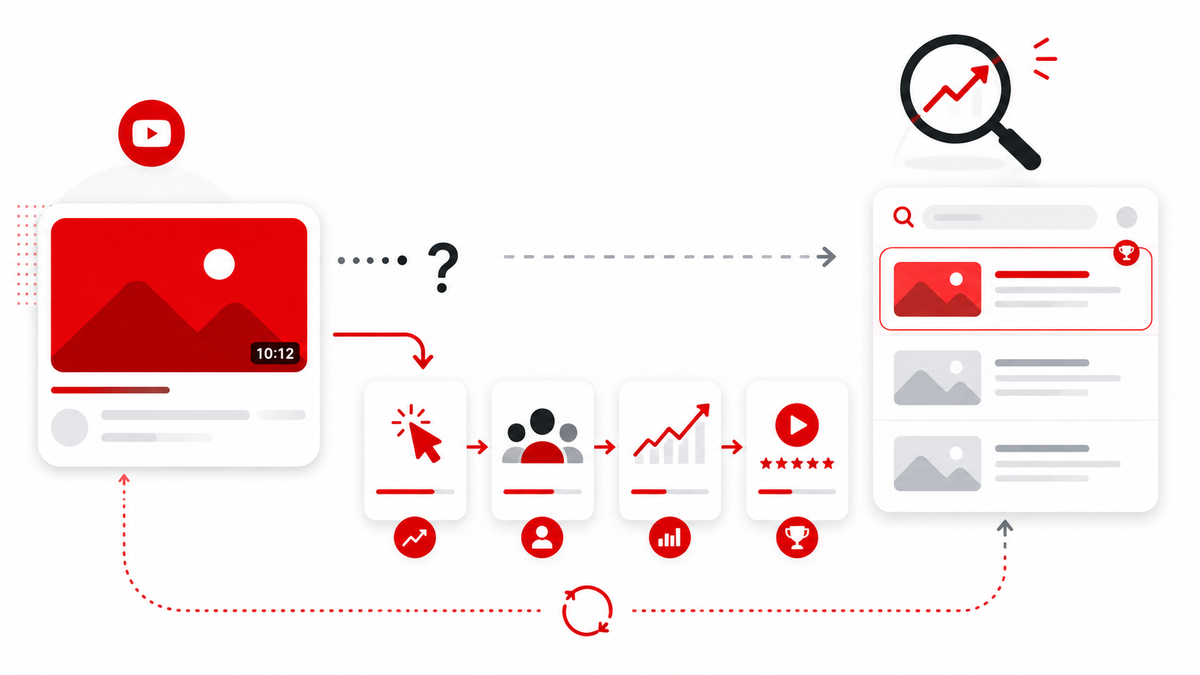
To understand where thumbnails fit, it helps to think about the journey from a search query to viewer satisfaction as a funnel. Every step in this funnel matters, and thumbnails are critical to one of those steps.
- Search Query — A viewer types something into YouTube search.
- Impression — YouTube surfaces your video in the results. The viewer sees your thumbnail and title together.
- Click Decision — The viewer decides whether to click based on what they see. This is where your thumbnail and title do their most important work.
- Watch Behavior — The viewer watches (or leaves quickly). Watch time, retention, and replays generate performance signals.
- Viewer Satisfaction — The viewer finishes feeling their time was well spent, or they don't. This is the outcome YouTube's systems are optimized to deliver.
Thumbnails operate at step two and three — the impression and the click decision. They have no direct effect on the step one (how YouTube decides to show your video) and very little influence over steps four and five (which depend almost entirely on the video's actual content and quality). But a thumbnail that fails to earn the click means the rest of the funnel never happens.
This is why thumbnails matter enormously in practice, even though they're not a direct ranking signal. Without the click, there's no watch time, no engagement, no satisfaction signal — and no data for YouTube to use in deciding whether to promote your video further.
What Impressions CTR Actually Measures
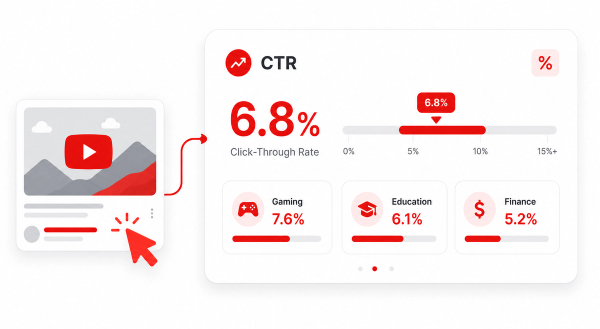
Inside YouTube Studio, you can see a metric called Impressions Click-Through Rate (impressions CTR). This measures the percentage of times viewers clicked on your video after YouTube showed it to them — across all surfaces where it appeared.
An impression is counted whenever your video's thumbnail was shown to a viewer for more than one second at 50% visibility. So if YouTube shows your thumbnail in a search result and the viewer scrolls past it, that's an impression without a click. If they click, it counts toward your CTR.
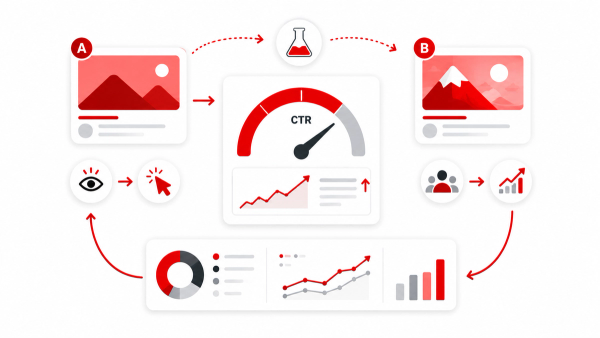
Your thumbnail is one of two visual elements (alongside the title) that the viewer uses to make that click decision. A more compelling thumbnail — one that clearly communicates value, triggers curiosity, or signals relevance — can increase CTR. But that CTR number alone is not a ranking guarantee.
Why CTR Is Only Part of the Picture
YouTube explicitly treats CTR as context-dependent, not as an absolute measure of quality. Todd Beaupré, YouTube's Senior Director of Growth and Discovery, has noted publicly that there's no single answer to what drives ranking — the system weighs many signals together. A clickbait thumbnail might generate a spike in CTR but damage watch time and satisfaction when the video doesn't deliver what the thumbnail implied. That pattern can actually harm a video's long-term performance.
YouTube is also aware that different videos have different baseline CTR ranges depending on the audience, the topic, the traffic source, and how long the video has been live. A new video from a small channel might start with a higher CTR as it reaches the most interested subscribers first, then settle to a lower rate as it reaches a broader audience. This is normal and expected.
Why CTR Alone Does Not Determine Rankings
A common misconception in YouTube SEO advice is: "higher CTR = better rankings." That's an oversimplification. YouTube considers multiple signals together, and CTR without satisfying viewer intent can actually work against a video's distribution.
Think of it this way: a misleading thumbnail might generate a 12% CTR, but if 60% of viewers leave within the first 30 seconds, YouTube learns quickly that the video isn't satisfying the expectation it set. Meanwhile, a well-composed, accurate thumbnail might produce a 5% CTR, but if 70% of viewers watch most of the video, YouTube has clear evidence that the people who clicked are glad they did. The second video is often the one YouTube promotes more aggressively.
YouTube's Rene Ritchie, Creator Liaison, has described viewer satisfaction and retention as the platform's primary concern — YouTube prioritizes videos that leave people feeling their time was well spent, not just those that got a high initial click.
Watch Time, Viewer Satisfaction, and Engagement
Once a viewer clicks through to your video, the thumbnail's job is done. Everything that follows — the watch time, the retention curve, the likes, shares, and comments — depends on the video itself. These post-click signals are far more influential on long-term ranking and recommendation performance than the thumbnail.
Watch time refers to the total minutes viewers spend watching your content. YouTube values this because it keeps people on the platform longer. Average view duration (how far into the video the average viewer gets) and average percentage viewed (what percentage of the total runtime they watch) are related metrics that indicate whether viewers found the content worthwhile.
Engagement — likes, comments, shares, and saves — provides additional context about how viewers responded emotionally and intellectually to the content. A video with strong engagement signals is more likely to be promoted in suggested video feeds and on the homepage, not just in search results.
The practical implication: your thumbnail and title should make an accurate promise about what the video delivers. When the video delivers on that promise, you get good watch behavior. When it doesn't, you get viewer drop-off, which YouTube notices and responds to by reducing the video's distribution.
Traffic Sources and Why CTR Varies
One of the most overlooked aspects of CTR analysis is that CTR is not uniform across traffic sources. YouTube surfaces your videos in several different contexts, and viewer behavior differs significantly between them.
Search traffic comes from users with a specific intent — they've typed a query and are evaluating which results best match what they're looking for. In this context, the title's relevance often carries more weight in the click decision than the thumbnail alone, because the viewer already knows the general topic.
Browse traffic (homepage and suggested videos) comes from viewers who are in a more passive discovery mode — they're not searching for anything specific, so the thumbnail does more of the persuasion work. A visually striking, emotionally engaging thumbnail matters more here than in search results.
Your aggregated CTR in YouTube Studio averages across all of these sources. A video that performs well in browse but poorly in search might still show an acceptable average CTR — and vice versa. Always check CTR broken down by traffic source before drawing conclusions about what to change.
Search vs Browse vs Suggested Videos
Search traffic typically has higher viewer intent. The viewer came looking for an answer. Your thumbnail's job is to confirm that your video is the right answer and to look credible enough to click. Clean, informative thumbnails tend to perform well here.
Browse and suggested video traffic presents your thumbnail alongside many competing thumbnails in a feed. Here, visual contrast, emotional triggers, and standout design matter more because you're competing for passive attention rather than answering an active query.
Understanding this distinction helps creators design thumbnails more strategically. A thumbnail that says "how-to guide on X" might work well for search but underperform in the suggested feed, where something more visually provocative might stand out better.
When Changing a Thumbnail Makes Sense
Creators often wonder whether refreshing a thumbnail on an existing video can improve its performance. The answer is: it can, under the right circumstances.
Changing a thumbnail makes the most sense when a video is receiving impressions but not clicks. If YouTube is showing the video to viewers but they're not choosing it, that's a packaging problem — and the thumbnail is the most direct thing you can change. You can verify this in YouTube Studio by checking impression volume versus CTR.
Changing a thumbnail is less likely to help when a video has very few impressions to begin with. Low impression volume usually points to a relevance or indexing issue — the video isn't matching queries or interest signals — and that's solved through better title and metadata optimization, not thumbnail redesign.
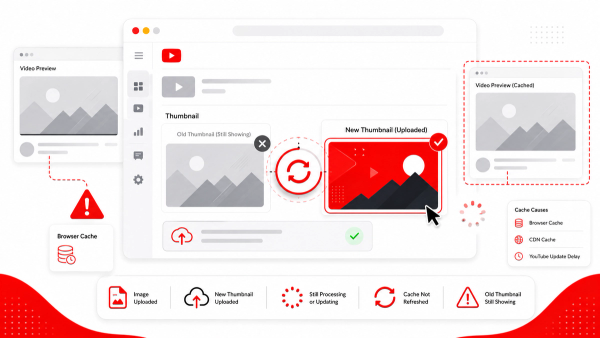
It's also worth noting that YouTube may take time to re-index and re-evaluate a video after a thumbnail change. Don't expect immediate results. Give any thumbnail change several days before drawing conclusions about its impact.
SEO-Friendly Thumbnail Strategy
A thumbnail that supports your video's search performance is one that earns the right clicks — not just any click. Here's what that looks like in practice.
Design the Thumbnail and Title as a Pair
Your thumbnail and title are presented together in every context — search results, browse feed, suggested panel. They should complement each other, not repeat each other. If your title says "How I Lost 20 Pounds in 3 Months," your thumbnail doesn't need to also say "20 pounds in 3 months." Instead, the thumbnail can show the visual result or emotional reaction that makes the viewer feel the impact of the claim.
Make an Accurate Visual Promise
The most effective thumbnails for long-term SEO performance make a promise that the video actually delivers on. This is not just an ethical consideration — it's a performance one. When viewers feel deceived by a misleading thumbnail, they leave early. Early abandonment creates bad signals in your analytics, which can suppress the video's distribution over time.
Prioritize Clarity at Thumbnail Size
Thumbnails are viewed at small sizes — especially on mobile devices, where YouTube is most commonly accessed. A thumbnail that looks impressive at full size but becomes a muddy blur at 200px wide is not serving your CTR. Always review your thumbnail at the size it will actually appear. Simplicity and strong contrast are your best friends here. You can use a tool like Thumbix's thumbnail preview tool to see how your design looks at actual display sizes before publishing.
Keywords Belong in Your Metadata, Not Your Thumbnail
There's a persistent myth that putting your target keyword as text on your thumbnail helps SEO. It doesn't — YouTube cannot read that text as metadata. What it might do is consume valuable visual space that could be used for a stronger image or emotional expression. Short contextual text can help clarify the video's subject for the viewer, but it shouldn't be treated as a keyword placement strategy. Focus keyword optimization on your title, description, and spoken content in the video.
Thumbnail SEO Checklist
Before publishing any video, run through this thumbnail evaluation checklist:
- Does the thumbnail clearly communicate what the video is about?
- Does it work together with the title (not repeat it word for word)?
- Is the focal point immediately obvious at small sizes?
- Does it use high contrast so it stands out in a crowded feed?
- Is it visually distinct from the top competing thumbnails on the same topic?
- Does it make an honest promise that your video actually delivers?
- Have you previewed it at mobile thumbnail size (roughly 200px wide)?
- Does it fit your channel's consistent visual style?
- After uploading, are you tracking impressions CTR separately by traffic source in YouTube Studio?
To evaluate thumbnail performance over time, pair CTR data with average view duration. A high CTR with strong average view duration suggests the thumbnail is attracting the right viewers. A high CTR with poor average view duration suggests the thumbnail may be attracting viewers whose expectations the video doesn't meet — a mismatch that YouTube will penalize over time.
If you want to study what's working in your niche before designing your own thumbnails, Thumbix's thumbnail downloader lets you pull and compare thumbnails from top-performing videos in your category. Looking at what established channels are doing — and identifying how you can differentiate — is one of the most practical forms of thumbnail research available.
Frequently Asked Questions
Does my YouTube thumbnail directly affect my video's search ranking?
No. YouTube cannot read the visual content of your thumbnail image. Thumbnails are not a direct ranking signal. However, they indirectly influence ranking by affecting click-through rate and viewer behavior, which are signals YouTube does consider.
Does thumbnail CTR affect YouTube search rankings?
CTR is a contextual signal that YouTube considers alongside many others, including watch time, viewer satisfaction, and content relevance. A high CTR alone does not guarantee better rankings — particularly if viewers leave the video quickly after clicking.
Can I improve my YouTube rankings by changing my thumbnail?
Changing a thumbnail can improve CTR if the video is receiving impressions but not clicks. However, if a video has low impressions, the issue is more likely relevance or metadata — not the thumbnail. Check YouTube Studio analytics to diagnose the actual problem before making changes.
Should I put keywords on my YouTube thumbnail for SEO?
No. YouTube cannot read text inside thumbnail images as metadata. Keywords should go in your title, description, and spoken content. Short text on a thumbnail can help viewers understand the topic, but it has no direct SEO value.
What is a good impressions CTR on YouTube?
CTR varies widely by channel, niche, traffic source, and video age. YouTube has stated there is no single 'good' CTR because it depends heavily on context. Focus less on hitting a specific number and more on whether your CTR is improving relative to your own historical baseline.
Does thumbnail design affect YouTube recommendations?
Indirectly, yes. Thumbnails that drive strong CTR followed by good watch time and viewer satisfaction help YouTube identify videos worth recommending in the browse feed and suggested video panel. The thumbnail earns the click; the content earns the recommendation.
Why is my video getting impressions but no clicks?
This typically indicates a thumbnail or title packaging problem. Viewers are seeing your video but choosing not to click. Consider redesigning the thumbnail to be more visually compelling, clearer, or more visually distinct from competitors. Also check whether the title clearly communicates the video's value.
Does changing a thumbnail hurt YouTube SEO?
Changing a thumbnail does not directly harm SEO. It may cause temporary fluctuations as YouTube re-evaluates performance. If the new thumbnail earns better CTR with equally good or better watch behavior, it should help the video's long-term performance.