Table of Contents
- What Information Is Publicly Visible on YouTube
- Public Video Thumbnails
- Public Video Metadata Beyond the Thumbnail
- Why "Unlisted" Gets Misunderstood So Often
- Auditing What Your Own Channel Exposes
- Sensitive Content and Thumbnail Exposure
- Public vs. Private Videos: A Quick Comparison
- Unlisted Videos
- Private Videos
- Deleted Videos
- Age-Restricted Videos
- Region-Restricted Content
- Search Indexing and Caching
- CDN Behavior and Thumbnail Persistence
- Why Accessibility Does Not Equal Permission
- Thumbnail Downloading and Privacy Implications
- Copyright Implications
- What Creators Should Know
- What Viewers Should Know
- A Note on Legal Advice
- Frequently Asked Questions
Public, unlisted, and private videos handle thumbnail accessibility very differently. Here's what's actually exposed, and why accessible isn't the same as permitted.
Someone asks whether their private YouTube video's thumbnail could still be seen by others, and the honest answer is: it depends, and "technically accessible" is not the same question as "publicly permitted." This distinction matters for creators managing sensitive content and for viewers curious about what YouTube actually exposes. This guide walks through exactly what's public, what isn't, and where the two ideas get confused.
What Information Is Publicly Visible on YouTube
For any video set to Public, YouTube exposes a defined set of information to anyone, without requiring a login: the video itself, its title, description, thumbnail, view count, upload date, and channel information. This is by design, since public videos are meant to be discoverable through search, browsing, and sharing.
It's worth being clear about what this list does *not* automatically include. Comments on a public video are visible to anyone viewing the page, but a viewer's own account activity, such as their watch history or the fact that a specific person watched a specific video, is not exposed publicly. Public visibility applies to the video's own metadata and content, not to individual viewers interacting with it.
Public Video Thumbnails
A public video's thumbnail is served at a predictable URL tied to the video's ID, and it's intended to be visible wherever the video itself can be found, including search results, suggested videos, embeds on other websites, and social media link previews. There's no meaningful privacy boundary around a public video's thumbnail specifically; it's exposed exactly as much as the rest of the video's public metadata.
Public Video Metadata Beyond the Thumbnail
Alongside the thumbnail, public videos also expose their title, description text, tags (in the page's underlying data, if not always visibly listed), category, and often the channel's other public videos. None of this requires special access or an account to view.
Why "Unlisted" Gets Misunderstood So Often
The confusion around unlisted videos is understandable, since the setting sits in a genuinely ambiguous middle ground between fully public and fully private, and YouTube's own interface language ("Unlisted videos can be viewed by anyone with the link") is easy to skim past without registering what it actually implies. Many creators choose "unlisted" assuming it functions like a soft privacy setting, similar to sharing a private social media post with a small group, when in practice it behaves more like an unlocked door with no sign on it: nobody stumbles across it by browsing, but anyone who's handed the key, or who finds it through a shared link, chat message, or embedded player, can walk right in. This becomes a real practical issue when unlisted links get shared more widely than intended, for example pasted into a public forum, embedded on a website, or forwarded through a group chat that includes people outside the original intended audience.
Auditing What Your Own Channel Exposes
Creators who want a clearer picture of what's actually visible about their content can take a few practical steps:
- Review your video privacy settings directly in YouTube Studio, rather than assuming based on memory, especially for older uploads where settings may have been chosen differently than your current practice.
- Search your own channel name and video titles in a normal (not logged-in) browser session to see what a stranger would actually find through search.
- Check whether unlisted links have been shared publicly anywhere you don't control, such as older forum posts, old blog embeds, or outdated documentation, since those links remain functional as long as the video stays unlisted.
- Treat "Private" as the only setting that meaningfully restricts an audience, and reserve it for content you genuinely don't want anyone beyond specifically granted accounts to see.
A fifth habit worth adding to this list: periodically revisit videos you set to "Unlisted" months or years ago. Circumstances change, an unlisted video meant for a small collaboration or client review can outlive its original purpose, and its link may still be circulating somewhere you're no longer tracking. If the original reason for keeping something unlisted no longer applies, switching it to Private (if it should stay restricted) or Public (if there's no longer a reason to limit it) is generally a cleaner long-term choice than leaving it in an unlisted state indefinitely.
Sensitive Content and Thumbnail Exposure
It's worth calling out a specific edge case: a thumbnail can sometimes reveal information a creator didn't intend to make visible, even on an otherwise appropriately configured video. For example, a thumbnail pulled from an auto-generated video frame might capture something in the background the creator didn't review closely before publishing, or a custom thumbnail might include identifying details (a location, a document, a face) the creator later regrets including. Because thumbnails for public and unlisted videos are exposed independently of the surrounding video's content warnings or context, it's worth reviewing your thumbnail specifically, not just your video content generally, before publishing, especially for anything involving personal information, minors, or sensitive locations.
Public vs. Private Videos: A Quick Comparison
| Setting | Discoverable via search/browse | Viewable with just a link | Thumbnail publicly retrievable | Requires sign-in to view |
|---|---|---|---|---|
| Public | Yes | Yes | Yes | No |
| Unlisted | No | Yes | Yes | No |
| Private | No | No (requires granted access) | Generally no | Yes |
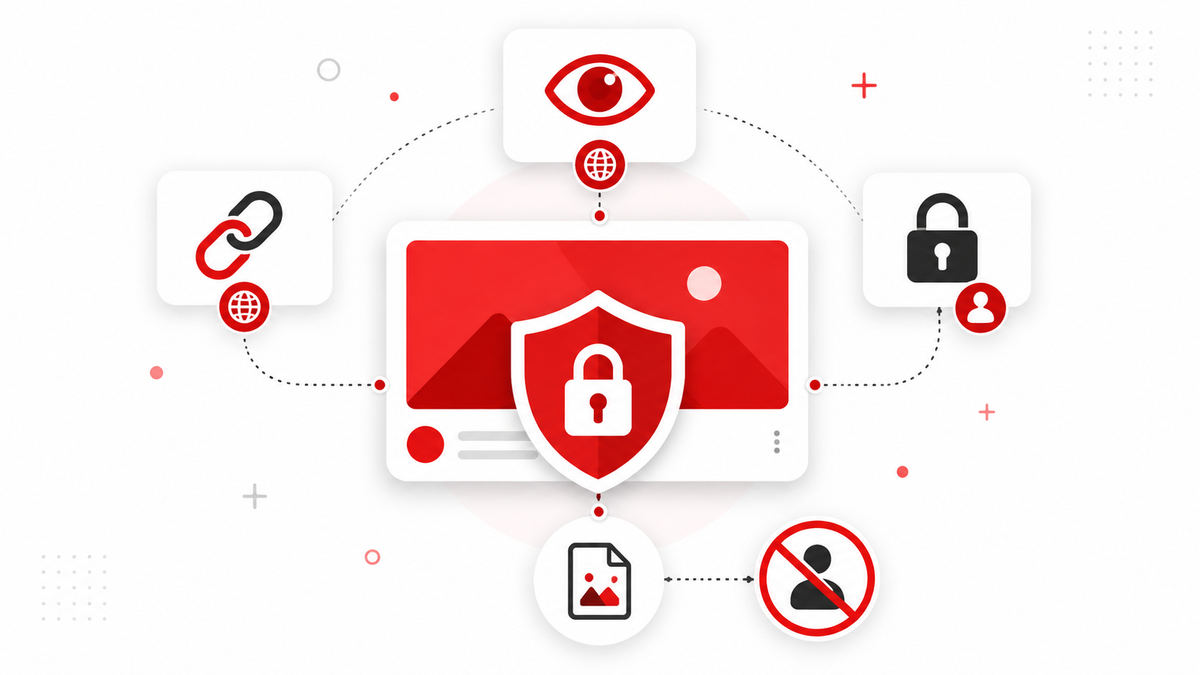
This table is the single most useful reference for understanding YouTube's privacy model: the meaningful gate is between "unlisted" and "private," not between "public" and "unlisted." Unlisted videos behave like public ones for anyone who has the link; only "private" genuinely restricts the audience to explicitly authorized accounts.
Unlisted Videos
An unlisted video isn't searchable on YouTube and won't appear on the uploader's channel page or in subscriber feeds, but anyone with the direct link can view it, and that includes its thumbnail, which remains retrievable at the same predictable URL structure as a public video's thumbnail. In other words: unlisted does not mean private. It means "not promoted or searchable," not "restricted to authorized viewers." If an unlisted video's link is shared widely, or guessed, its thumbnail and content become accessible the same way a public video's would be.
Private Videos
A private video is restricted to specific Google accounts the owner has explicitly granted access to. Unlike unlisted videos, a private video's thumbnail and content are genuinely gated behind authentication; simply having a link isn't enough. YouTube's systems generally don't generate a publicly retrievable thumbnail URL for private video content the way they do for public and unlisted videos, since the underlying video itself requires a logged-in, authorized session to view at all.
Deleted Videos
Once a video is deleted, its associated data, including the thumbnail, is intended to be removed from YouTube's active systems. However, cached copies can persist elsewhere for a period of time, for example in a search engine's cache, a browser's local cache, or a third-party site that saved a copy before deletion. This isn't the same as the video remaining "available" on YouTube; it reflects the general nature of anything that was once public on the internet; once cached or copied elsewhere, its removal from the original source doesn't guarantee removal everywhere else.
Age-Restricted Videos
Age-restricted videos require a signed-in account (and in some cases age verification) to view the video itself. Their thumbnails have historically been treated similarly to other public metadata in terms of basic accessibility for browsing and search purposes, but the underlying video content enforces the age gate at playback. Policies and enforcement mechanisms around age restriction are subject to change, so creators managing this kind of content should check YouTube's current Help Center documentation for the latest specifics rather than relying on older assumptions.
Region-Restricted Content
Some videos are blocked in specific countries due to licensing agreements or legal requirements, a practice known as geo-blocking. A region-restricted video may still be discoverable, and its thumbnail and metadata may still load, even in regions where the video itself won't play, since region restrictions are typically applied at the playback layer rather than the metadata layer. This varies by video and by the reason for the restriction, so it isn't a fixed rule that applies identically everywhere. Creators distributing licensed content across regions should check their specific distribution agreements rather than assuming a single universal behavior applies to every restricted video.
Search Indexing and Caching
Public and unlisted video pages, including their thumbnails, can be crawled and indexed by search engines like Google, which is part of why a public video shows up in web search results beyond YouTube's own site search. Once indexed or cached, content can remain retrievable through a search engine's cache or a saved copy for some time after the original changes or is removed, independent of YouTube's own current state for that video.
CDN Behavior and Thumbnail Persistence
Thumbnails are served through content delivery networks (CDNs) designed for fast, widespread access, which is part of why thumbnail URLs follow such a simple, predictable pattern. A side effect of this design is that a thumbnail file, once generated and cached across a CDN, may remain briefly retrievable at its direct URL even in edge cases like a very recent privacy change, until caches fully refresh. This is a technical artifact of how CDNs work, not an intentional privacy exception, and it typically resolves within a short window.
Why Accessibility Does Not Equal Permission
This is the central point worth internalizing: the fact that a thumbnail's URL loads a valid image doesn't automatically mean using that image is authorized, appropriate, or free of copyright and privacy considerations. A thumbnail being technically retrievable, especially for an unlisted video shared in a context the creator didn't anticipate, doesn't mean the creator intended or consented to broader distribution of that image. Treat technical accessibility as a separate question from whether you have a legitimate reason and, where relevant, permission to use what you've retrieved.
Thumbnail Downloading and Privacy Implications
Downloading a public video's thumbnail for personal reference, research, or design study sits at low risk from a privacy standpoint, since the content was already exposed by the creator's own choice to publish publicly. The situation is different for unlisted content: even though an unlisted thumbnail may be technically retrievable if you have the link, the creator chose "unlisted" specifically to limit exposure, and redistributing that thumbnail more broadly runs against the evident intent behind that choice, even if no technical barrier prevented it.
Copyright Implications
Separate from privacy, a thumbnail is a creative work, and copyright generally applies to it the same way it would to any other image, regardless of whether the underlying video is public, unlisted, or otherwise. Being able to access an image is a different question from being licensed to reuse it. This applies most clearly to commercial reuse, republishing thumbnails as if they were your own original content, or using them in a way that could be seen as misrepresenting their source.
What Creators Should Know
If you're relying on "unlisted" as a privacy setting, understand that it's a discoverability control, not an access control. Anyone with the link can view the video and its thumbnail. For genuinely sensitive content, "Private" with explicitly granted viewer access is the setting that actually restricts who can view the content, not "unlisted."
It's also worth understanding that channel-level settings can interact with individual video privacy in ways that aren't always obvious. For example, a channel's "Uploads" playlist visibility, embedding permissions, and whether a video appears in a channel's public video list are all somewhat separate toggles from the video's core privacy setting itself. A creator who sets a video to "Public" but disables it from appearing in search results through a separate setting may still find its thumbnail indexed by external search engines that crawled it before the setting changed, since crawlers don't necessarily re-check every setting change immediately.
What Viewers Should Know
Being able to load an image URL doesn't mean you have permission to redistribute or reuse it freely, particularly for content that wasn't intended for broad public circulation. Apply the same judgment you would to any other image you didn't create: consider the source's evident intent, not just what's technically loadable.
A Note on Legal Advice
Privacy and copyright rules vary by jurisdiction, and platform behavior can change as YouTube updates its systems and policies. This article is an educational explainer, not legal advice. If you're making a decision with real legal or business stakes, consult current official YouTube documentation or a qualified professional rather than relying solely on this summary.
Frequently Asked Questions
Are YouTube thumbnails public?
Thumbnails for public and unlisted videos are retrievable through predictable URLs without requiring an account. Thumbnails for genuinely private videos are generally gated behind the same authentication required to view the video itself.
Can anyone see a YouTube thumbnail?
For public videos, yes, by design. For unlisted videos, anyone with the direct link can access the thumbnail, even without being explicitly authorized by the creator, since "unlisted" limits discoverability, not access. For private videos, no, unless they've been granted specific access.
Can you download a private YouTube thumbnail?
Generally, no. Private videos require authenticated, authorized access to view at all, and their thumbnails aren't exposed at a publicly retrievable URL the way public and unlisted video thumbnails are.
Are unlisted YouTube thumbnails public?
Not in the sense of being searchable or discoverable, but they are technically accessible to anyone who has the direct video link, since "unlisted" only removes the video from search and browsing, not from access via a shared URL.
Can Google index YouTube thumbnails?
Yes, for public (and sometimes unlisted, if the link is shared or discovered) videos. Once crawled and cached by a search engine, a thumbnail may remain retrievable through that cache for some time independent of the video's current state on YouTube.
Does deleting a video remove its thumbnail everywhere?
It removes the thumbnail from YouTube's active systems, but cached or copied versions elsewhere (search engine caches, third-party sites, browser caches) may persist for a period afterward, similar to how any deleted public web content can linger in caches.
Is downloading a public thumbnail for personal reference a privacy concern?
Generally not, since the content was already made public by the creator's own choice. Concerns arise more with unlisted content (where broader redistribution runs against the creator's evident intent) or with any reuse that raises copyright questions, separate from privacy.