Table of Contents
- Introduction
- Why This Topic Matters
- Quick Answer
- Who This Guide Is For
- Understanding Thumbnail Ownership
- Safe Ways to Research Competitor Thumbnails
- Common Copyright Mistakes Creators Make
- Extended Walkthrough: A Practical Decision Framework
- How Copyright Claims Typically Play Out on YouTube
- A Note on Screenshots From Within Your Own Video
- Frequently Asked Questions
- Final Takeaway
Thumbnails are images, and images are copyrighted the moment they're created. Here's a clear, practical breakdown of what you can and can't legally do with someone else's YouTube thumbnail.
Introduction
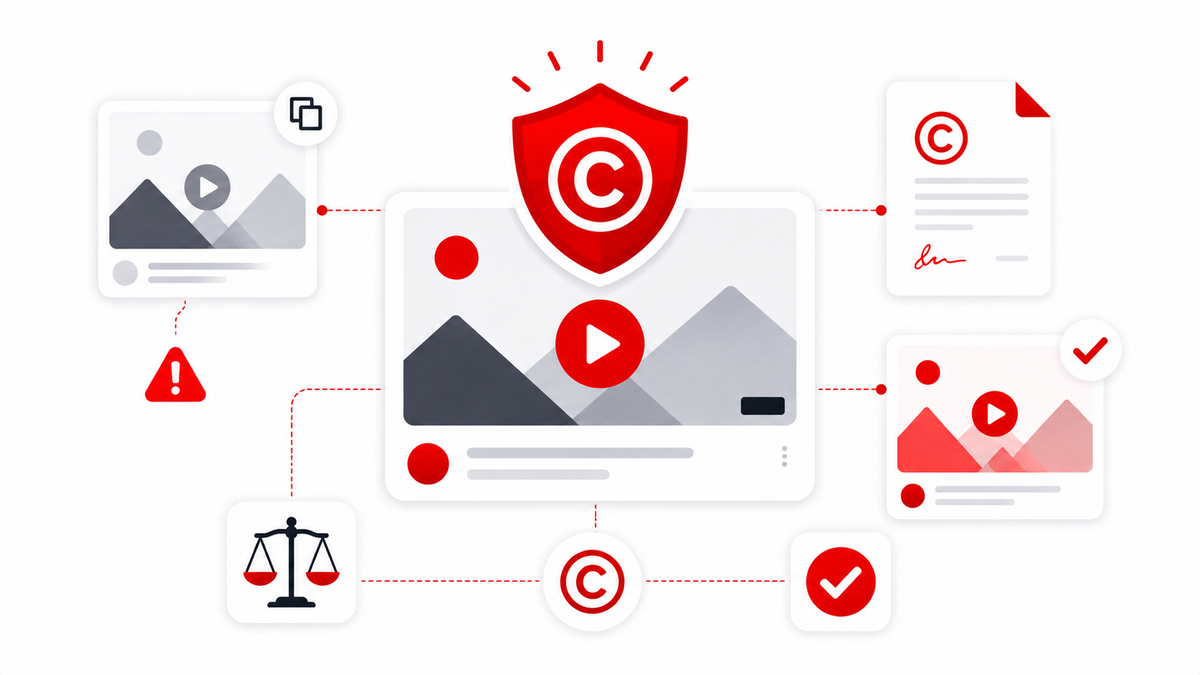
Every YouTube thumbnail is a copyrighted image the moment it's created — just like a photo, a piece of artwork, or a screenshot. That surprises a lot of creators, especially ones who've been casually saving and referencing other people's thumbnails for research or inspiration without thinking about it as a copyright question. This guide breaks down, in plain terms, what's actually fine and what isn't, how fair use really works in practice, and how to safely save, study, and reuse thumbnails without putting your channel at risk. Disclaimer: This article explains general copyright concepts as they commonly apply to online content and is not legal advice. If you're dealing with a specific dispute or copyright strike, consult a qualified attorney.
Why This Topic Matters
Copyright mistakes are one of the more avoidable ways a channel can run into trouble — whether that's a copyright strike, a takedown request, or a damaged relationship with another creator. Understanding where the actual line sits protects both your content and your channel's standing. The thumbnail is also the most visible piece of any video. It's the first thing viewers see in search results, suggested feeds, and home pages, and it's the image most likely to be screenshotted or reposted elsewhere. That visibility cuts both ways: your own thumbnails are easy for others to misuse, and it's just as easy to misuse someone else's without thinking. A working knowledge of thumbnail copyright is therefore not an academic concern. It's a practical skill that helps you avoid claims, strikes, and awkward conversations with fellow creators — and it also makes you a better-informed consumer of the hundreds of thumbnails you scroll past every day.
Quick Answer
The creator who uploads a video owns the copyright to its custom thumbnail, the same as any other original image they create. Viewing or saving a thumbnail for personal reference is generally not infringement, but publishing, redistributing, or commercially reusing someone else's thumbnail without permission can be. In short: study whatever you want, save privately for research if you need to, and when you publish, use your own original imagery — or, at minimum, a clearly labeled excerpt tied to genuine commentary about that specific image. If you need a copy of a thumbnail for private competitor research, tools like the Thumbnail Downloader exist exactly for that use case.
Who This Guide Is For
- Creators unsure whether they can reference competitor thumbnails
- Designers building on existing visual styles
- Reaction and commentary channels that discuss other creators' videos
- Marketers and agencies producing content that references other channels
If any of those descriptions fits you, the rest of this article gives you a practical framework you can apply the next time you're tempted to reuse an image you didn't create.
Understanding Thumbnail Ownership
A YouTube thumbnail is treated like any other original image under copyright law: the moment a creator makes it, they hold the copyright, regardless of whether they register it anywhere. This applies whether the thumbnail is a photo, a graphic design, or a screenshot from their own footage. Copyright covers the specific expression — the composition, the exact image — not the general idea of "a thumbnail with bold text and a shocked face," which is a style, not a protectable work in itself. This distinction matters: you can't copyright a general design trend, but you can copyright the specific image you made using that trend. A few ownership details are worth understanding clearly:
- Registration isn't required. The copyright symbol, a registration number, or an official filing are all optional in most jurisdictions. Protection begins the moment a work is fixed in a tangible form.
- Ownership follows creation. Unless a creator transfers their rights, the person who makes the image owns it. Paying someone doesn't automatically transfer ownership — a commissioned designer still owns the finished file unless the contract says otherwise.
- Hired designers and work-for-hire. If you commission thumbnails from a freelancer, get the ownership clause in writing before the work begins. "I paid for it" does not automatically equal "I own it," and this trips up more creators than almost any other ownership question.
- Auto-generated frames are a gray zone. A frame that YouTube selects automatically isn't usually a "custom" work, and ownership questions there are less clear. The safe assumption remains that any image you did not create should be treated as copyrighted.
That commissioned-work point deserves extra emphasis because it's the most common ownership surprise in practice. A simple sentence in an invoice or a short clause in a brief — "all rights to the final image transfer to the client" — prevents a world of confusion later.
Safe Ways to Research Competitor Thumbnails
Researching competitors' thumbnails is not only legal — it's how most successful channels learn what works. The key is keeping that research private and building your own imagery from what you learn. If you're new to this, the simplest rule of thumb is: studying thumbnails for inspiration is fine; copying someone else's actual image file and republishing it as your own is not. Here's a practical workflow for safe, low-risk research: 1. Collect thumbnails into a private research folder. Save Shorts covers with the Shorts Thumbnail Downloader and grab channel icons with the Channel Logo Downloader if you're studying a channel's full visual identity. Store everything in a folder that's clearly marked internal-only. 2. Keep research separate from publication. Never drag a competitor's image out of your research folder into a draft video, post, or design file. The moment a saved thumbnail crosses into published content, the risk profile changes completely. 3. Annotate what works — don't copy the file. Note the color contrast, the text-to-image balance, and the subject framing, then recreate those patterns with your own photography, graphics, and text. This is exactly where the line between inspiration and infringement lives. 4. Standardize your own original files afterward. When you sit down to design your own thumbnails, make sure they meet YouTube's required dimensions so they don't get stretched or cut off. The Thumbnail Resizer is a quick way to prepare your own images at the right size. 5. Track your sources. Keep consistent naming, dates, and channel names in your research archive. If a question about any image ever comes up, you'll be able to show that it was saved for reference only and never used in published content. For reaction and commentary channels, the research workflow changes slightly: you may legitimately want to show another creator's thumbnail inside your video to discuss it. That's a different situation, and it's covered in the screenshots section below.
Common Copyright Mistakes Creators Make
Most thumbnail copyright problems don't come from malicious copying. They come from a handful of recurring misunderstandings. Here are the ones we see most often:
- Assuming public visibility means public domain. A thumbnail being viewable by anyone doesn't mean it's free to reuse. Public access has never equaled public ownership.
- Editing someone else's thumbnail slightly and republishing it. Changing the text, cropping it, or adding a filter doesn't transform the image into a new original work in most cases.
- Using someone else's exact thumbnail as a template. Swapping the text on someone else's design is still copying their specific expression.
- Assuming small creators won't notice. Copyright claims aren't limited to large channels, and a smaller creator is often the most likely to spot and report direct reuse.
- Treating fair use as a catch-all. Commentators frequently treat fair use as a get-out-of-jail-free card. It isn't — it's a legal defense evaluated case by case.
- Confusing a style with a specific image. Copying a general trend (bold yellow text, a shocked face) is usually fine; copying the exact image is not.
The myth-and-reality pattern underneath most of these:
- If a thumbnail is publicly visible, it's free to use: Public visibility doesn't remove copyright protection
- Small changes to someone else's thumbnail make it a new original work: Minor edits generally don't create sufficient originality to avoid infringement claims
- Fair use is a guaranteed right for any commentary content: Fair use is a case-by-case legal defense, not an automatic exemption
- Only large channels enforce their copyright: Creators of every size can and do file claims
How to respond when something goes wrong. If you receive a copyright claim related to a thumbnail you used, don't ignore it. Review what was claimed, check whether the use genuinely qualifies as commentary or criticism, and consider replacing the thumbnail if the claim affects your video's monetization. If you're uncertain whether a planned use qualifies as fair use, the safer path is always to create original imagery instead of relying on someone else's file.
Extended Walkthrough: A Practical Decision Framework
When you're unsure whether a specific use of someone else's thumbnail is likely to be a problem, it helps to walk through a short set of practical questions rather than guessing. Step 1 — Private or public? Ask whether the use is private (internal research, personal reference) or public (published in a video, blog post, or social media). Private use carries meaningfully lower risk in almost every case. A marketing team that downloads a batch of competitor thumbnails into an internal research deck that's never published is engaging in a low-risk, common industry practice. Step 2 — Commentary or decoration? If the use is public, ask whether you're using the thumbnail to comment on, critique, or report on it specifically, or whether you're simply reusing it as decorative or functional content unrelated to discussing that particular image. The former is far more likely to fall within commonly recognized fair use territory than the latter. A reaction channel that shows a small, clearly labeled screenshot of another creator's thumbnail as part of a broader commentary video has a much stronger argument than someone who reuses a thumbnail as their own video's cover image. Step 3 — How much are you using? Ask how much of the original image you're using and whether a smaller, clearly attributed excerpt would serve the same purpose as the full file. A cropped or downscaled version shown for the purposes of commentary looks more reasonable than republishing the original at full resolution. Step 4 — Effect on the original creator's market. One of the classic fair use factors asks whether your use could hurt the original creator's ability to benefit from their own work. If your use could plausibly serve as a substitute for their thumbnail — for example, if your video competes for the same viewers using the same image — that cuts strongly against you. None of these questions produces a guaranteed legal answer on its own, but walking through them consistently will steer you away from the highest-risk uses.
How Copyright Claims Typically Play Out on YouTube
When a copyright holder identifies unauthorized use of their thumbnail in someone else's content, the most common outcomes are a direct copyright claim through YouTube's systems, which can affect monetization or visibility on the video in question, or, in more serious or repeated cases, a formal DMCA takedown request. Unlike Content ID, which automatically scans and matches video and audio content at upload time, thumbnail-specific claims generally require a human copyright holder to notice the reuse and file a claim manually. That's part of why thumbnail-related disputes tend to move more slowly and are less automated than the video-matching system creators are often more familiar with. But slow doesn't mean harmless: a successful DMCA takedown counts against your channel's copyright strike history, and accumulating strikes within a short window can ultimately lead to a channel being terminated. A few practical notes on how claims actually feel from the creator side:
- Monetization impact first. The most common consequence is that the video's ads get redirected to the claimant while the claim is active. For a thumbnail dispute, that's usually resolved by removing or replacing the thumbnail.
- Takedown requests are heavier. A formal DMCA takedown is a legal assertion, not just an automated match. Counter-notifications exist, but filing one carries legal consequences if you're wrong.
- Withdrawal doesn't reset everything. Even if the claimant withdraws the claim, the process is stressful and time-consuming, and it can damage relationships with other creators. Prevention beats cleanup.
A Note on Screenshots From Within Your Own Video
One nuance worth flagging: using a screenshot of another creator's thumbnail briefly within your own video — for example, as part of a compilation or reaction format — sits in a slightly different category than republishing that same thumbnail as your own standalone video's cover image. The former is more commonly associated with commentary and criticism use cases that have historically received fair use consideration; the latter, using someone else's actual thumbnail file as your own video's packaging, offers essentially no such argument, since it isn't commentary at all — it's direct reuse of their original creative work as if it were yours. Practical guardrails if you're going to show another creator's thumbnail inside your video:
- Keep it on screen briefly and clearly tied to what you're saying about it.
- Label it — for example, "Thumbnail by [Channel Name]" or "Source: [Channel]."
- Use a crop or scaled-down version rather than the full-resolution file.
- Don't export that screenshot into a separate asset and reuse it elsewhere.
Final Takeaway
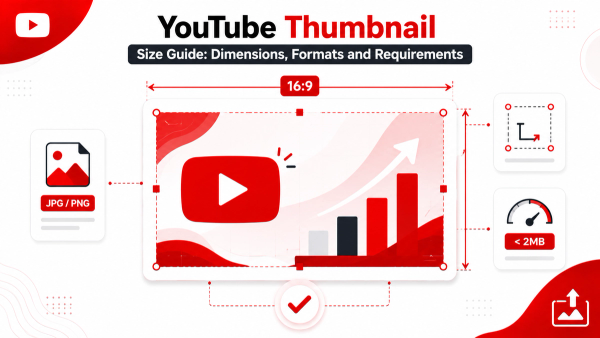
Understanding thumbnail copyright isn't about being afraid to do research — it's about knowing where the line sits between studying what works and directly reusing someone else's actual creative work. Respecting that line protects your own channel just as much as it protects others. Keep research private, keep commentary clearly labeled, and when you publish, use your own original imagery. When you understand the rules, the workflow gets simple: research freely, borrow styles and ideas, and build your own distinctive visuals. If you want the practical side handled step by step, our guide on how to copy a YouTube thumbnail covers the safe research methods in detail, and the YouTube Thumbnail Size Guide will make sure your own original designs meet the required dimensions from day one.
Frequently Asked Questions
Who owns the copyright to a YouTube thumbnail?
The creator who uploads the video owns the copyright to its custom thumbnail, the same as any other original image they create.
Is it illegal to save a YouTube thumbnail?
Saving a thumbnail privately for personal reference or research is generally low-risk; publishing or reusing it commercially without permission is where copyright concerns arise.
Can I use a competitor's thumbnail style for inspiration?
Yes — copyright protects the specific image itself, not a general design style or trend, so recreating a similar concept with your own original imagery is generally fine.
What happens if I get a copyright claim for using someone's thumbnail?
YouTube will typically notify you of the claim, which can affect the video's monetization or status; reviewing YouTube's copyright process or consulting a professional is the recommended next step.
Is fair use a guaranteed defense for commentary videos?
No, fair use is evaluated case by case based on factors like purpose and amount used — it's a legal defense, not an automatic exemption.
Can I edit someone else's thumbnail slightly and use it as my own?
Generally no — minor edits to an existing copyrighted image typically don't create enough originality to avoid infringement concerns.
Does YouTube automatically detect thumbnail copyright violations?
Not typically — YouTube's Content ID system focuses on video and audio matching, so thumbnail disputes are usually handled through direct copyright claims or takedown requests.
Can I use a thumbnail if it's under a Creative Commons license?
Yes, if a creator has explicitly released an image under a Creative Commons or royalty-free license, using it according to that license's terms is legitimate.