Table of Contents
- Introduction
- Why This Topic Matters
- Quick Answer
- Who This Guide Is For
- Method 1: Copy a Thumbnail with the Thumbix Downloader (Fastest)
- Method 2: Copy a Thumbnail from the Direct Image URL
- Method 3: Copy a Thumbnail Using Right-Click / Inspect Element
- Beginner Guide
- Advanced Tips
- Desktop Instructions
- Mobile Instructions
- Android Guide
- iPhone Guide
- Examples
- Common Mistakes
- Best Practices
- Pro Tips
- Creator Tips
- SEO Tips
- Marketing Tips
- Frequently Overlooked Facts
- Myths vs Facts
- Troubleshooting
- Summary
- Final Thoughts
- Call to Action
- FAQs
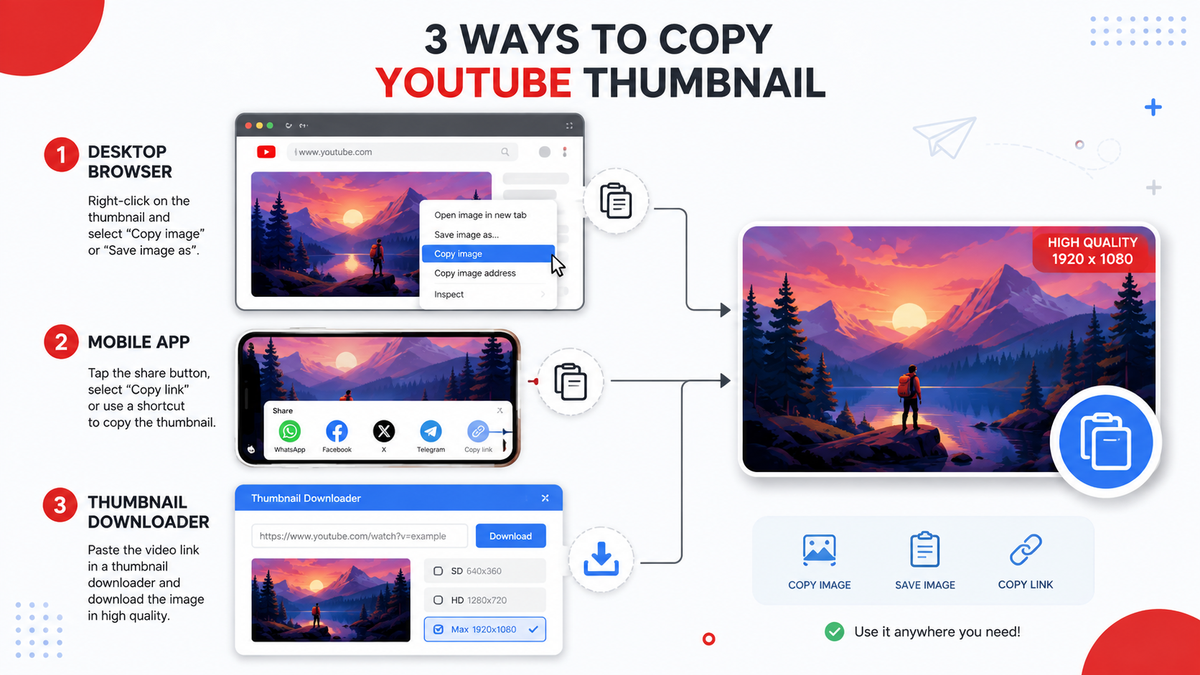
Want to save or reuse a YouTube thumbnail for research, inspiration, or your own content planning? Here are 3 reliable methods to copy a YouTube thumbnail in full resolution — including the fastest free way using Thumbix's downloader.
Introduction
If you have ever wanted to save a YouTube thumbnail — for competitor research, mood boards, thumbnail inspiration, or your own editing workflow — you have probably run into the same problem everyone else does: YouTube doesn't give you a convenient "download thumbnail" button. Right-clicking a video preview usually gets you a tiny, blurry, low-resolution image, not the crisp HD version the creator actually uploaded. The good news is that copying a YouTube thumbnail in full quality is completely possible, and it only takes a few seconds once you know where to look. In this guide, we'll walk through three methods that actually work in 2026 — from the fastest one-click tool to two manual backup methods you can use anywhere, on any device.
Why This Topic Matters
Thumbnails are the single biggest driver of click-through rate on YouTube. Creators, editors, and marketers study thumbnails constantly — to understand what's working in their niche, to build swipe files for inspiration, or to check how their own thumbnail looks at actual size before publishing. Being able to quickly copy a YouTube thumbnail in its original resolution is a small but genuinely useful skill for anyone who works with video content.
Quick Answer
The fastest way to copy a YouTube thumbnail is to paste the video's URL into a dedicated tool like the Thumbix Thumbnail Downloader, which pulls the image directly from YouTube's servers in every available resolution (including full HD) and lets you copy or download it in one click — no software, no login, no watermark.
Who This Guide Is For
- Beginner YouTubers researching what thumbnails work in their niche
- Professional creators and editors building thumbnail inspiration boards
- Thumbnail designers who need a reference image to redesign or improve
- Marketing teams and agencies analyzing competitor content
- Students and content managers learning how YouTube's thumbnail system works
Method 1: Copy a Thumbnail with the Thumbix Downloader (Fastest)
This is the method we recommend for almost everyone, because it always returns the highest resolution available and works identically on desktop and mobile.
- Open the video on YouTube and copy its URL from the address bar or the Share button.
- Go to the Thumbix Thumbnail Downloader.
- Paste the URL into the input box and press Enter.
- Thumbix instantly pulls every available resolution of the thumbnail — including the full HD 1280×720 version when the creator has uploaded one.
- Right-click the image (or tap and hold on mobile) and choose Copy Image, or simply click the Download button to save it to your device.
Because the tool reads the thumbnail directly from YouTube's own image servers, you always get the real, uncompressed file — not a screenshot or a resized preview.
Method 2: Copy a Thumbnail from the Direct Image URL
Every YouTube video has a predictable thumbnail image address built from its video ID. If you know the video ID (the string of characters after v= in the URL), you can open the thumbnail directly in your browser.
- Find the video ID in the URL — for example, in
youtube.com/watch?v=abc123XYZ, the ID isabc123XYZ. - Paste it into a URL pattern such as
img.youtube.com/vi/abc123XYZ/maxresdefault.jpg. - Open that link in a new browser tab. The full-size thumbnail loads on its own, with no YouTube interface around it.
- Right-click the image and select Copy Image or Save Image As.
This method works well as a manual backup, but it has one catch worth knowing: not every video has a maxresdefault image available. Older or lower-resolution uploads sometimes only have smaller versions, in which case the link returns a broken image and you need to try a smaller size variant instead.
Method 3: Copy a Thumbnail Using Right-Click / Inspect Element
If the first two methods aren't available to you for some reason, your browser's built-in tools can still get the job done.
- Open the video's watch page or hover over it on the homepage or search results.
- Right-click directly on the thumbnail preview image.
- Select Inspect (Chrome, Edge) or Inspect Element (Firefox).
- In the highlighted HTML, look for an
<img>tag with asrcattribute pointing to ani.ytimg.comorimg.youtube.comaddress. - Right-click that address and open it in a new tab, then copy or save it from there.
This is the slowest of the three methods and really only makes sense if you're comfortable with basic browser developer tools, but it's a handy fallback to know.
Beginner Guide
If this is your first time doing this, stick with Method 1. Paste the link, wait a second, right-click the image that appears, and choose Copy Image or Download. That's genuinely the whole process — there's no software to install and nothing to configure.
Advanced Tips
- Always check for the
maxresdefaultresolution first; it's the only version guaranteed to match what the creator originally uploaded. - If you're building a research library, keep a consistent file-naming system (channel name + video title + date) so old thumbnails stay easy to find later.
- Batch-check multiple videos from the same channel to spot patterns in color, text placement, and facial expression that tend to correlate with higher view counts.
Desktop Instructions
On a desktop browser (Chrome, Edge, Firefox, or Safari), any of the three methods above work exactly as described. Right-click support is universal, and copy-to-clipboard works instantly in all major browsers.
Mobile Instructions
On mobile, Method 1 is by far the most reliable, since mobile browsers handle right-click and Inspect Element differently — or don't support them at all. Open Thumbix in your mobile browser, paste the link, then press and hold the resulting image to bring up the save/copy menu.
Android Guide
- Open the YouTube app, tap Share under the video, then Copy Link.
- Open your mobile browser and go to the Thumbix Thumbnail Downloader.
- Paste the link and tap the search/download button.
- Press and hold the thumbnail image, then choose Download Image from the menu that appears.
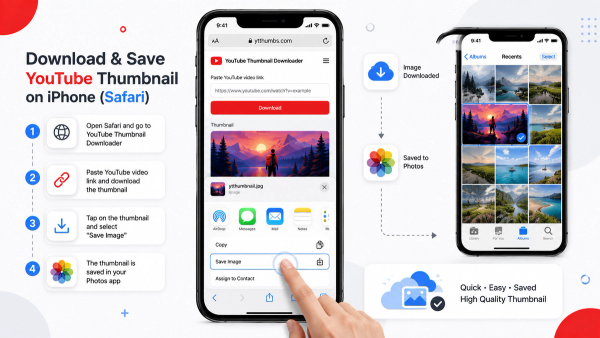
iPhone Guide
- In the YouTube app, tap Share, then Copy Link.
- Open Safari and visit the Thumbix Thumbnail Downloader.
- Paste the link into the input field and tap Go.
- Touch and hold the thumbnail preview, then tap Save to Photos or Copy from the menu.
Examples
- A gaming creator uses Thumbix to pull thumbnails from the top 10 videos in their niche to identify a common color scheme before designing their own.
- A video editor copies a client's old thumbnail so they can rebuild a higher-quality version in Photoshop with the same branding.
- A marketing agency saves competitor thumbnails weekly to track how a client's category is trending.
Common Mistakes
- Taking a screenshot instead of downloading the real file — screenshots compress the image and can introduce blur or color shifts.
- Assuming every video has a
maxresdefaultthumbnail — some don't, especially older or low-resolution uploads. - Forgetting mobile browsers handle right-click differently — always use press-and-hold on phones instead.
Best Practices
- Always pull the highest resolution version available before using an image for anything beyond quick reference.
- Keep a dedicated folder for thumbnail research so it doesn't get mixed in with unrelated downloads.
- Double-check the image opens correctly before assuming the download succeeded — broken links happen when a resolution doesn't exist for that video.
Pro Tips
- Use a thumbnail research library to track seasonal trends in your niche — thumbnail styles often shift throughout the year.
- Combine thumbnail research with the Thumbix Thumbnail Downloader and a spreadsheet of view counts to correlate design choices with performance.
Creator Tips
When you're studying someone else's thumbnail for inspiration, look past the surface details. Ask what emotion the image is triggering, how the eye moves across the frame, and where the text sits relative to the subject's face. Copying the image is just the first step — understanding why it works is what actually improves your own thumbnails.
SEO Tips
Thumbnails influence click-through rate, and click-through rate is one of the signals YouTube's algorithm uses when deciding how widely to distribute a video. Studying high-performing thumbnails in your niche is, in a very real sense, a search and discovery optimization exercise — not just a design one.
Marketing Tips
Agencies managing multiple channels can save significant time by keeping a shared thumbnail swipe file, updated regularly using a tool like Thumbix, so designers always have current reference material without manually hunting for images video by video.
Frequently Overlooked Facts
- YouTube thumbnails are served from Google's own image CDN, which is why the direct-URL method in Method 2 works at all.
- Not all resolutions are generated for every video — YouTube generates them based on the original upload quality.
- The thumbnail image is completely separate from the video file itself; copying it doesn't touch or affect the video in any way.
Myths vs Facts
- You need special software to copy a YouTube thumbnail: A browser and a free tool like Thumbix are all you need
- Right-clicking the video preview always gives you the full-size image: It usually gives you a small, low-resolution preview instead
- Copying a thumbnail for research is against YouTube's rules: Viewing and saving publicly available images for personal reference is generally fine; reusing someone else's copyrighted thumbnail commercially is not
Troubleshooting
The image won't download or copy. Try a different resolution — not every video has a maxresdefault version available. The right-click menu doesn't show a Copy Image option. This varies by browser; try Save Image As instead, or use the Thumbix downloader, which standardizes this across devices. The downloaded image looks blurry. You likely saved a low-resolution preview instead of the full HD version — go back and select the highest resolution offered.
Summary
Copying a YouTube thumbnail doesn't require any special skill or software. The fastest and most reliable method is pasting the video URL into a dedicated tool like Thumbix, which automatically finds the highest available resolution. Manual methods — direct image URLs and browser Inspect Element — work as reliable backups when needed.
Final Thoughts
Whether you're researching competitors, building a design reference library, or just want a closer look at a thumbnail that caught your eye, having a fast and reliable way to copy YouTube thumbnails in full quality is a small tool that saves real time.
Call to Action
Ready to try it yourself? Head over to the free Thumbix Thumbnail Downloader, paste in any YouTube link, and grab the full-resolution thumbnail in seconds — no sign-up, no watermark, completely free.
Frequently Asked Questions
Can I copy any YouTube thumbnail for free?
Yes. Thumbnail images are publicly accessible on YouTube's servers, and free tools like Thumbix let you copy or download them in seconds at no cost.
Is it legal to copy a YouTube thumbnail?
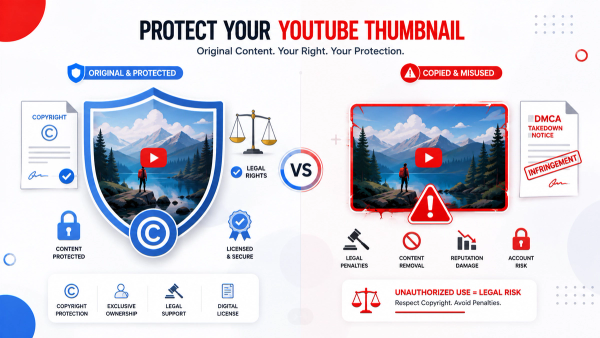
Viewing and saving a thumbnail for personal reference or research is generally fine, but reusing someone else's thumbnail commercially or claiming it as your own work can raise copyright issues.
Why does right-clicking a YouTube thumbnail give me a blurry image?
Right-clicking the small preview on YouTube's homepage or search results only captures the compressed preview size, not the original high-resolution file YouTube stores separately.
What is the highest resolution a YouTube thumbnail can be?
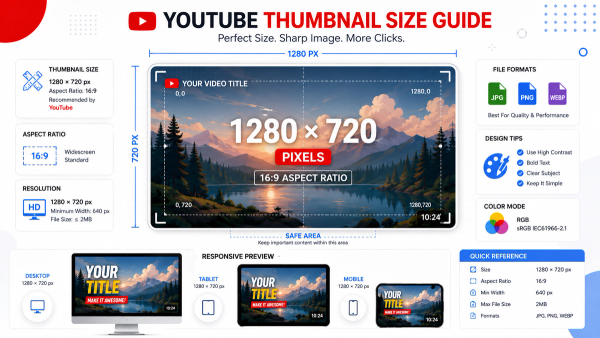
The highest standard resolution is 1280×720 pixels, known as maxresdefault, though it's only available if the original video was uploaded in HD or higher.
Does copying a thumbnail affect the original video?
No. The thumbnail image is a separate file from the video itself, so copying or downloading it has no effect on the video, its views, or the creator's account.
Can I copy a thumbnail from a private or unlisted video?
No. Thumbnail downloader tools can only access thumbnails from videos that are publicly viewable; private videos are not accessible.
Do I need to install anything to copy a YouTube thumbnail?
No installation is required. Browser-based tools like Thumbix work entirely online — just paste the video link and copy or download the image.
Why doesn't every video have a maxresdefault thumbnail?
YouTube generates the maxresdefault image based on the original upload's resolution, so older or lower-quality uploads may only have smaller thumbnail sizes available.
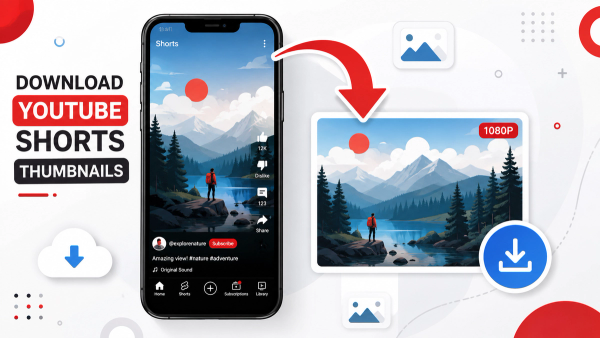
Can I copy a thumbnail from a YouTube Short the same way?
Yes, though Shorts thumbnails sometimes require a slightly different approach since they can be auto-generated from a video frame rather than a custom upload.
What's the fastest way to copy a YouTube thumbnail on mobile?
Paste the video link into the Thumbix Thumbnail Downloader in your mobile browser, then press and hold the resulting image to save or copy it.