Table of Contents
- What Does Aspect Ratio Actually Mean?
- Why 16:9 Became the Standard for Video
- Why YouTube Specifically Requires 16:9 Thumbnails
- Aspect Ratio vs. Dimensions vs. File Size
- Common 16:9 Dimensions You Can Use
- What Happens If You Upload a Non-16:9 Image
- 4:3 or Other Boxy Ratios
- Square (1:1) Images
- Portrait or Vertical Images
- Cropping vs. Stretching: Always Crop, Never Stretch
- How to Get a Perfect 16:9 Thumbnail From Any Source Image
- How 16:9 Displays Across Devices
- Mobile Feed
- Desktop Suggested Rail
- Smart TV and Connected TV Apps
- Does Aspect Ratio Matter for YouTube Shorts?
- Aspect Ratio, Composition, and Readability
- Why Some Older Guides Show Different Numbers
- Common Aspect Ratio Mistakes
16:9 isn't an arbitrary rule. Here's why YouTube standardized on it, what happens if you ignore it, and how to crop any image to fit correctly.
Scroll through YouTube's home feed and every single thumbnail, regardless of channel or niche, shares the exact same shape. That's not a coincidence or a design trend; it's a hard requirement. YouTube thumbnails use a 16:9 aspect ratio, and understanding what that actually means, why YouTube settled on it, and what happens when you ignore it will save you from uploading a thumbnail that gets awkwardly cropped the moment it goes live. This guide covers what aspect ratio is, why 16:9 became the standard, and exactly how to get any source image into the right shape without stretching or distorting it.
What Does Aspect Ratio Actually Mean?
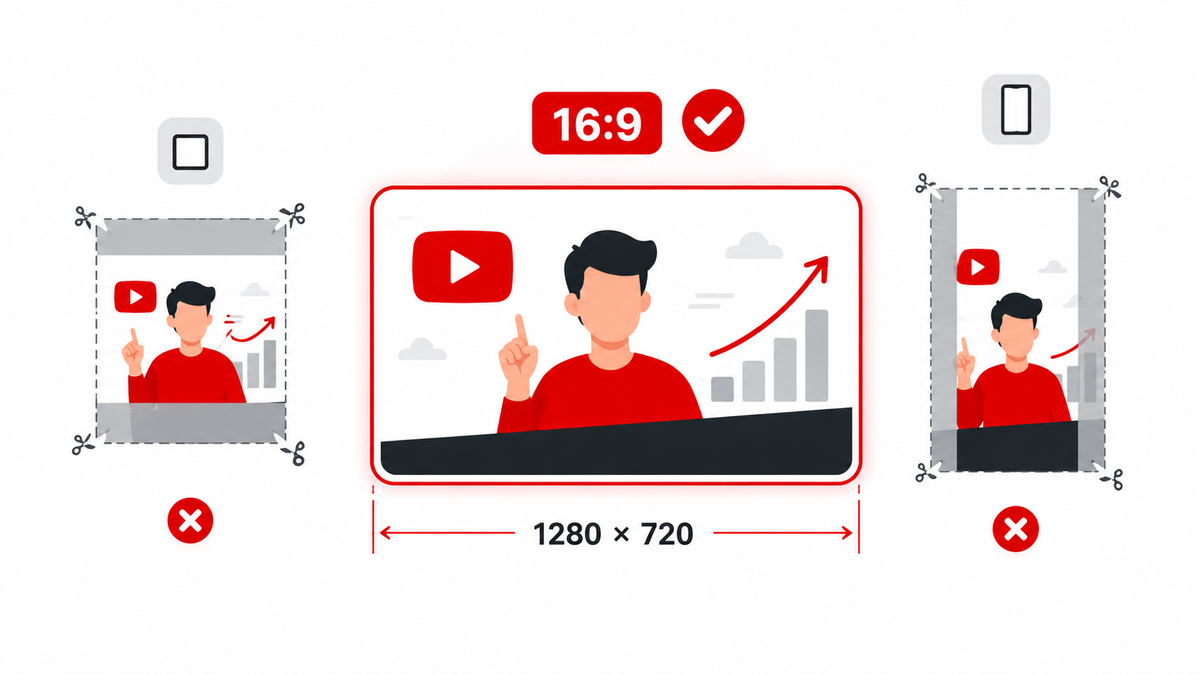
Aspect ratio describes the proportional relationship between an image's width and height, independent of its actual pixel count. A 16:9 ratio means the width is 16 units for every 9 units of height — so a 1280×720 image and a 1920×1080 image share the exact same aspect ratio even though one has far more pixels than the other. Aspect ratio tells you the shape; dimensions tell you the size within that shape.
Why 16:9 Became the Standard for Video
16:9 wasn't invented by YouTube. It became the dominant video standard in the transition from old 4:3 television broadcasts to widescreen HDTV in the 1990s and 2000s, chosen because it more closely matches natural human peripheral vision and film aspect ratios than the boxier 4:3 shape. By the time YouTube launched, 16:9 was already the format cameras, monitors, and TVs were converging on, so it made sense to build the platform's video player, and by extension its thumbnails, around the same shape.
Why YouTube Specifically Requires 16:9 Thumbnails
A thumbnail's job is to represent the video frame before someone presses play, and the video player itself is a 16:9 canvas. Standardizing thumbnails to that same shape keeps every card in the home feed, search results, and suggested-videos rail visually aligned into a consistent grid, rather than a patchwork of different shapes that would make the page look broken and inconsistent. It's a layout requirement as much as a stylistic one.
Aspect Ratio vs. Dimensions vs. File Size
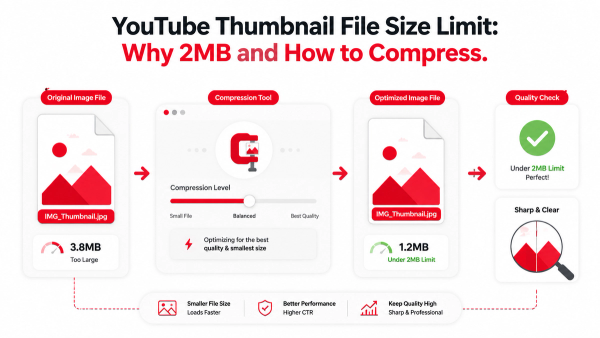
These are three separate properties that often get lumped together. Aspect ratio is the shape (16:9). Dimensions are the pixel grid within that shape (1280×720, 1920×1080, and so on). File size is how many bytes the exported image takes up, which depends on compression rather than shape. A thumbnail can be perfectly 16:9 and still fail to upload because the file size is too large — that side of things is covered in our guide to YouTube's thumbnail file size limit.
Common 16:9 Dimensions You Can Use
- 1280×720 pixels — the long-standing recommended baseline and still a fully valid, safe choice.
- 1920×1080 pixels — the same 16:9 shape at a higher pixel count, useful if you want extra sharpness for larger displays.
- 3840×2160 pixels (4K) — YouTube's newer recommended upper size, aimed at rendering sharper thumbnails on connected TV apps.
- 640 pixels wide — the documented minimum width YouTube accepts, though images this small tend to look soft once scaled up for larger placements.
You don't need to jump straight to 4K to have a compliant thumbnail. 1280×720 still covers the vast majority of placements cleanly; the higher sizes mainly matter if you're specifically optimizing for TV screens.
What Happens If You Upload a Non-16:9 Image
4:3 or Other Boxy Ratios
An image that isn't 16:9 gets cropped or letterboxed to fit the thumbnail slot, and the exact result can vary by surface, which means you lose control over what's actually visible in the final crop.
Square (1:1) Images
A square image gets cropped on the top and bottom to fit the wide 16:9 frame, which is a common problem for creators pulling a thumbnail from an Instagram-style square graphic. Anything placed near the top or bottom edge — a face, a logo, key text — risks being cut off entirely.
Portrait or Vertical Images
Vertical photos suffer the worst cropping, since a large portion of the image has to be trimmed away to fit a wide frame. On vertical videos specifically, YouTube's own guidance notes that even a custom 16:9 thumbnail you upload can be replaced by an automatically generated vertical crop on certain surfaces like Home, Explore, and Subscriptions, so vertical content needs extra care in how it's framed.
Cropping vs. Stretching: Always Crop, Never Stretch
When a source image doesn't match 16:9, there are two ways to force it to fit: crop away the excess, or stretch the image to fill the frame. Stretching distorts every face, object, and line of text in the image, making it look amateurish and, in the case of faces, genuinely off-putting. Cropping loses some of the original image but keeps everything that remains proportionally correct. Cropping is always the right choice.
How to Get a Perfect 16:9 Thumbnail From Any Source Image
- In Canva, create a new design and set custom dimensions to 1280×720, then position your source photo or graphic within that frame, cropping rather than stretching to fill it.
- In Photoshop, use Image > Canvas Size to set a 16:9 target, or use the Crop tool with a 16:9 ratio preset so the crop stays locked to the correct shape as you adjust it.
- If you just need to quickly reshape an existing image without a design tool, Thumbix's Thumbnail Resizer crops and exports an image to YouTube-ready 16:9 dimensions directly in the browser.
- Preview the result at a small size before uploading, since that's closer to how it will actually appear in most feeds.
How 16:9 Displays Across Devices
Mobile Feed
On phones, thumbnails render small and wide, which is why keeping key elements away from the extreme edges matters — small crops and rounded corners on some layouts can nibble at the very edge of the frame.
Desktop Suggested Rail
On desktop, thumbnails appear larger and closer to their native 16:9 shape, giving more visible detail, but the fundamentals of composition still matter since viewers still decide in a fraction of a second.
Smart TV and Connected TV Apps
TV apps display thumbnails at a much larger physical size on a screen viewed from a distance, which is the specific use case behind YouTube's push toward higher-resolution 4K thumbnail support.
Does Aspect Ratio Matter for YouTube Shorts?
Shorts are vertical by nature, and the thumbnail most viewers see in the Shorts feed is typically a frame pulled directly from the vertical video itself rather than a wide 16:9 image. If you're specifically working with Shorts thumbnails, our Shorts Thumbnail Downloader is built around that vertical format rather than the standard 16:9 rules covered in this guide.
Aspect Ratio, Composition, and Readability
Aspect ratio isn't just a technical checkbox — it directly shapes how you can compose a thumbnail. A wide 16:9 frame naturally favors a horizontal arrangement: a subject positioned to one side with room for short text on the other, or a subject centered with breathing room on both flanks. Composing for a shape you're not actually going to use, like designing on a square canvas and cropping down later, tends to produce awkward, off-balance results because the elements were never arranged with the final frame in mind. Starting your design at the correct 16:9 canvas from the very first step avoids that entirely.
Why Some Older Guides Show Different Numbers
If you've seen conflicting thumbnail dimensions across different articles and tutorials, it's usually a symptom of when they were written rather than an actual disagreement about the aspect ratio itself. The 16:9 shape has been constant for years; what's changed more recently is the recommended pixel count at the top end, as YouTube pushed its guidance from 1280×720 toward 4K to support sharper TV display. A guide written a few years ago describing 1280×720 as the size, rather than a baseline, isn't wrong about the ratio — it's just describing an older ceiling.
Common Aspect Ratio Mistakes
- Stretching a square logo or graphic to fill a 16:9 frame instead of cropping it.
- Placing important text or a face right at the top or bottom edge, where a square-to-16:9 crop or a device-specific crop is most likely to cut it off.
- Uploading a vertical phone photo without cropping it first and expecting YouTube to frame it sensibly.
- Ignoring the bottom-right corner, where YouTube automatically overlays the video's duration on top of your thumbnail regardless of what's underneath it.
Frequently Asked Questions
Why does YouTube use 16:9 for thumbnails?
Because the video player itself is a 16:9 canvas, and matching the thumbnail to that shape keeps YouTube's feeds visually consistent across every placement.
Can YouTube thumbnails be square?
You can upload a square image, but YouTube will crop it to fit the 16:9 frame rather than displaying it as a square, which typically cuts off the top and bottom of the image.
What's the minimum width for a YouTube thumbnail?
640 pixels wide is the documented minimum, though images at that size tend to look soft once scaled up for larger placements like the desktop suggested rail.
What happens if my thumbnail isn't exactly 16:9?
YouTube will crop or letterbox the image to fit the 16:9 frame, and the exact crop can vary by device and placement, so you lose precise control over what's visible.
Should I design at 1280×720 or go straight to 4K?
1280×720 remains a fully valid, safe baseline for standard placements. Higher resolutions up to 4K mainly help sharpness on larger connected-TV displays and aren't required for normal delivery.
Does stretching an image to 16:9 hurt click-through rate?
There's no official data tying stretching to a specific CTR number, but distorted faces and warped text are visibly unprofessional, which tends to work against a thumbnail's credibility rather than for it.
Do all devices crop a non-16:9 thumbnail the same way?
No. Cropping behavior can differ across mobile, desktop, and TV surfaces, which is exactly why designing to the correct 16:9 shape from the start avoids the guesswork.