Table of Contents
- Introduction
- What Is YouTube Engagement Rate?
- Why Engagement Matters
- The Engagement Rate Formula
- What a Good Engagement Rate Looks Like
- Engagement Rate by Niche
- How to Read Your Numbers
- 12 Ways to Improve Your Engagement Rate
- Engagement vs Retention: Know the Difference
- Tools to Track and Improve Engagement
- Frequently Asked Questions
- A Worked Example: Calculating Your Rate Step by Step
- Engagement Rate vs Views: Which Should You Watch?
- How Often Should You Measure Engagement?
- Signs Your Engagement Is Improving Beyond the Rate
- The Benchmarks That Matter More Than Averages
- Conclusion
Engagement rate tells you whether viewers actually care about your content. Here's the formula, the benchmarks, and the tactics that lift it.
Introduction
Two channels post identical videos. One gets 50,000 views, a thousand comments, and gets recommended for weeks. The other gets 50,000 views and goes quiet. The difference isn't luck — it's engagement. Engagement rate is the closest thing YouTube's algorithm has to a signal that viewers care. It's not the only metric, and it's not something you should obsess over daily, but it's one of the healthiest numbers a channel can track. This guide covers what it means, how to calculate it, what a good rate looks like for your niche, and — most usefully — how to raise it.
What Is YouTube Engagement Rate?
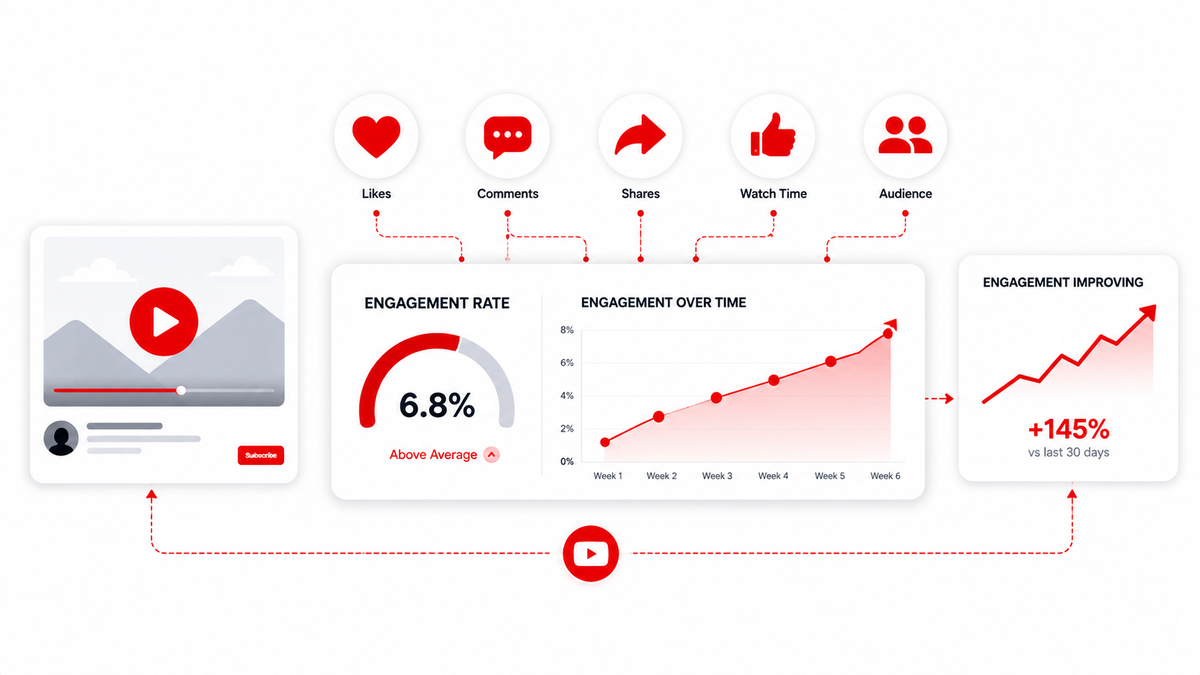
Engagement rate measures how actively your audience interacts with your content relative to how many people see it. The classic interactions are:
- Likes and dislikes — the simplest signals
- Comments — a strong, effortful signal
- Shares — the most valuable, because they bring new viewers
- Subscribes — converting a viewer into a follower
YouTube also watches non-click metrics like average view duration and audience retention, which are technically engagement too, though they're usually measured separately. For most creators, engagement rate means "how much of the audience that watched also interacted."
Why Engagement Matters
Engagement tells the algorithm that your content is doing something meaningful — that people didn't just watch it, they reacted. In practical terms, strong engagement feeds a few things:
- Recommendations. Engagement is one of the signals YouTube uses to decide which videos to suggest next to viewers who watched something similar.
- Channel authority. A video with a high comment ratio and shares signals a community worth promoting.
- Revenue. Watch time and engagement correlate with retention, and retention supports higher RPM. It's a chain: engagement improves performance, performance supports earnings.
- Sponsor appeal. Brands look at engagement rates when deciding whether a channel's audience is worth paying for.
The Engagement Rate Formula
The most common way to calculate engagement rate for a video is: Engagement rate = (Likes + Comments + Shares) ÷ Views × 100 If a video has 10,000 views, 450 likes, 60 comments, and 40 shares: (450 + 60 + 40) ÷ 10,000 × 100 = 5.5% That 5.5% means roughly one in every 18 viewers interacted with the video. Different creators weight the inputs differently — some add saves, some count new subscribers, some compare against impressions instead of views. The exact formula matters less than consistency. Use the same formula every time so your trends are comparable. The Thumbix YouTube Engagement Rate Calculator handles this automatically: enter views, likes, comments, and shares, and it returns your rate for a single video or across your channel.
What a Good Engagement Rate Looks Like
There's no universal "good" number, because engagement scales with channel size. Small channels routinely post 10–20% engagement rates because their views come mostly from existing, loyal subscribers. Big channels often sit at 1–4% because a high percentage of their views come from casual, recommendation-driven viewers who don't interact. That counterintuitive pattern matters: a 2% engagement rate on a million-view video is a huge absolute amount of interaction, while 15% on a 500-view video is a handful of people. Compare yourself to channels of a similar size in your niche, not to giants.
Engagement Rate by Niche
Benchmarks vary by content type, but 2026 estimates look roughly like this:
- Niche tutorials (finance, software): 6–12%
- Personal vlogs and commentary: 5–10%
- Community-driven niches: 4–8%
- Entertainment: 2–5%
- Gaming: 2–5%
- Large general channels: 1–4%
These are ranges, not rules. Your own trend over time is more meaningful than a single comparison to a number you found online.
How to Read Your Numbers
Instead of asking "is this good," ask "is this improving?"
- Track engagement rate month over month. A steady climb usually means your content is resonating more.
- Compare videos within your own channel. Why did one video get three times the comments of another? That's your real signal.
- Look at ratios that isolate behavior. Comments per view tells you about conversation; likes per view tells you about sentiment; shares per view tells you about how shareable your topic is.
12 Ways to Improve Your Engagement Rate
1. Ask, but be specific. "Comment below" is noise. "What would you have done in this situation?" invites a real answer. 2. End with a question. Close the video with an open question the viewer can answer in one line — it lowers the effort barrier to commenting. 3. Respond to comments. Early replies encourage more comments and signal to the algorithm that there's an active discussion. 4. Pin a good comment. Pin your own question or a great viewer comment to seed conversation. 5. Make content worth debating. Clear, specific opinions and genuine controversy (not manufactured drama) pull replies. 6. Reference your viewers. Name recurring commenters, react to viewer suggestions, and make the community part of the show. 7. Add chapters and timestamps. They improve retention, and retained viewers are more likely to engage. 8. Encourage shares with context. Tell viewers who might benefit: "Share this with anyone starting a channel this year." 9. Use end screens and cards. Prompting a subscribe or a related video keeps people in your ecosystem where they're more likely to engage. 10. Post on a consistent schedule. Predictability builds the kind of invested audience that interacts. 11. Improve retention. Better pacing, stronger hooks, and editing out dead air keep more of the audience alive to the end — and engaged viewers are more likely to act. 12. Make thumbnails and titles honest. Hype that the video doesn't deliver on produces watch-throughs but no comments, and viewers who feel misled don't engage.
Engagement vs Retention: Know the Difference
Retention (average view duration, percentage viewed) is about whether people finish watching. Engagement rate is about whether people interact. They're cousins, not twins. A video can have great retention and low engagement if nothing makes the viewer want to comment or share — and a video can have high engagement and weak retention if it's punchy but divisive. Both matter to the algorithm, and both support your channel's health and revenue indirectly. Improving one usually nudges the other.
Tools to Track and Improve Engagement
- YouTube Studio — your real source of truth for views, retention, and interaction counts.
- Thumbix YouTube Engagement Rate Calculator — turn Studio numbers into a clean engagement rate for any video.
- Thumbix Likes Per View Calculator — track sentiment as a ratio over time.
- Thumbix Comments Per View Calculator — watch conversation depth as your content evolves.
- Thumbix CTR Goal Calculator — keep an eye on the entry point, because clicks come before engagement.
A Worked Example: Calculating Your Rate Step by Step
Walk through it with a real-looking video. A 10-minute tutorial has 8,000 views, 620 likes, 95 comments, and 210 shares. Step 1 — add the interactions: 620 + 95 + 210 = 925. Step 2 — divide by views: 925 ÷ 8,000 = 0.1156. Step 3 — multiply by 100: 11.56%. That 11.56% is a strong rate for any channel, and it tells you something useful: roughly one in nine viewers took an action. Now compare it to another video of yours with 30,000 views, 900 likes, 40 comments, and 80 shares. That's 1,020 ÷ 30,000 × 100 = 3.4%. Lower rate — but more absolute interaction, and most of it came from casual viewers. Both videos are healthy; the context is what makes the numbers meaningful.
Engagement Rate vs Views: Which Should You Watch?
Views tell you how many people showed up. Engagement tells you whether they cared. The two don't always move together, and that's the signal worth noticing:
- High views, low engagement usually means you nailed the packaging — title and thumbnail — but the content didn't connect. Fix retention and content quality, not your thumbnail strategy.
- Low views, high engagement means the people who found you genuinely liked it, but few people were shown it. The fix is packaging, pacing, and letting the algorithm catch up.
- Both high means packaging and content are working together. Replicate it.
Watching the two metrics side by side tells you where the problem lives in a way that either number alone can't.
How Often Should You Measure Engagement?
Daily measurement turns a useful metric into noise. A single video's rate swings wildly in its first 48 hours as casual views flood in, then settles. The healthy rhythm is to review engagement weekly for new uploads, and to look at monthly trends for your channel as a whole. If you're testing a specific change — a new video format, a new question strategy, a different ending — measure that against a comparable baseline video rather than against last week's chaos. Consistency in when you measure is as important as consistency in how you calculate.
Signs Your Engagement Is Improving Beyond the Rate
The percentage doesn't capture everything. Watch for these quieter indicators that your content is connecting:
- Comments start referencing specific moments or details of your videos.
- The same names appear repeatedly — you're building regulars, not just viewers.
- Viewers share your videos in other communities or on other platforms.
- People start asking questions in comments that you answer in the next video.
- A discussion breaks out in a comments section that used to be silent.
Engagement rate gives you the trend line; these signals tell you the community is actually forming behind it.
The Benchmarks That Matter More Than Averages
Instead of chasing a magic percentage, build your own benchmark set. Track your best three videos by engagement rate and your worst three; the gap between them is a roadmap. Watch your comments per view and likes per view separately — they trend differently and diagnose differently. And remember that a "good" rate for a 200-subscriber channel is meaningless compared to the same channel's rate six months later. Your personal baseline, refreshed monthly, beats every industry average you'll find online.
Conclusion
Engagement rate is one of the most useful health metrics on YouTube because it measures something view count can't: whether people actually care. The formula is simple, the benchmarks depend on your niche and size, and the tactics that improve it are mostly about being more intentional — asking real questions, making shareable moments, and treating the comments section as part of the content. Track it, improve it, and let the algorithm do its part. The viewers who engage are the same ones who return, subscribe, and eventually support your channel. Want to see your numbers in context? Plug your views, likes, comments, and shares into the free Thumbix YouTube Engagement Rate Calculator and get your rate in seconds.
Frequently Asked Questions
What is a good YouTube engagement rate?
It depends on channel size and niche. Small channels often see 5–20%, while large channels typically sit at 1–4%. Compare against your own trend and similar-sized channels rather than a universal number.
How do you calculate YouTube engagement rate?
Add likes, comments, and shares, divide by the number of views, and multiply by 100. The Thumbix Engagement Rate Calculator does this automatically.
Does engagement affect YouTube monetization?
Indirectly. Engagement supports retention and overall channel health, which influence video performance and RPM. It's not a direct factor in ad payment rates.
Which engagement signal matters most?
Comments and shares are stronger than likes because they take more effort, but the combination of all three gives the clearest picture of audience interest.
Why is my engagement rate dropping as my channel grows?
Growth brings more casual, recommendation-driven viewers who interact less. That's normal. Watch ratios like comments per view before treating it as a problem.
Is engagement rate the same as retention rate?
No. Retention measures how long people watch; engagement rate measures how many people interact. They're related but separate metrics.