Table of Contents
- Introduction
- Why Creators Outsource Thumbnails
- Packaging a Thumbnail Service
- Building a Portfolio That Wins Clients
- Pricing: Per Thumbnail vs Monthly Retainer
- Finding Your First Clients
- Delivering Correct, Compliant Files
- Using Thumbix Tools in Your Delivery Workflow
- Frequently Asked Questions
- Final Takeaway
Every channel needs thumbnails and most creators can't make their own. Here is how to package a thumbnail service, build a portfolio that wins clients, and deliver compliant 1280x720 files that keep them.
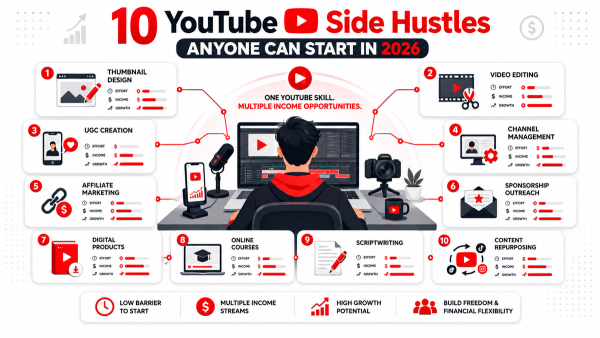
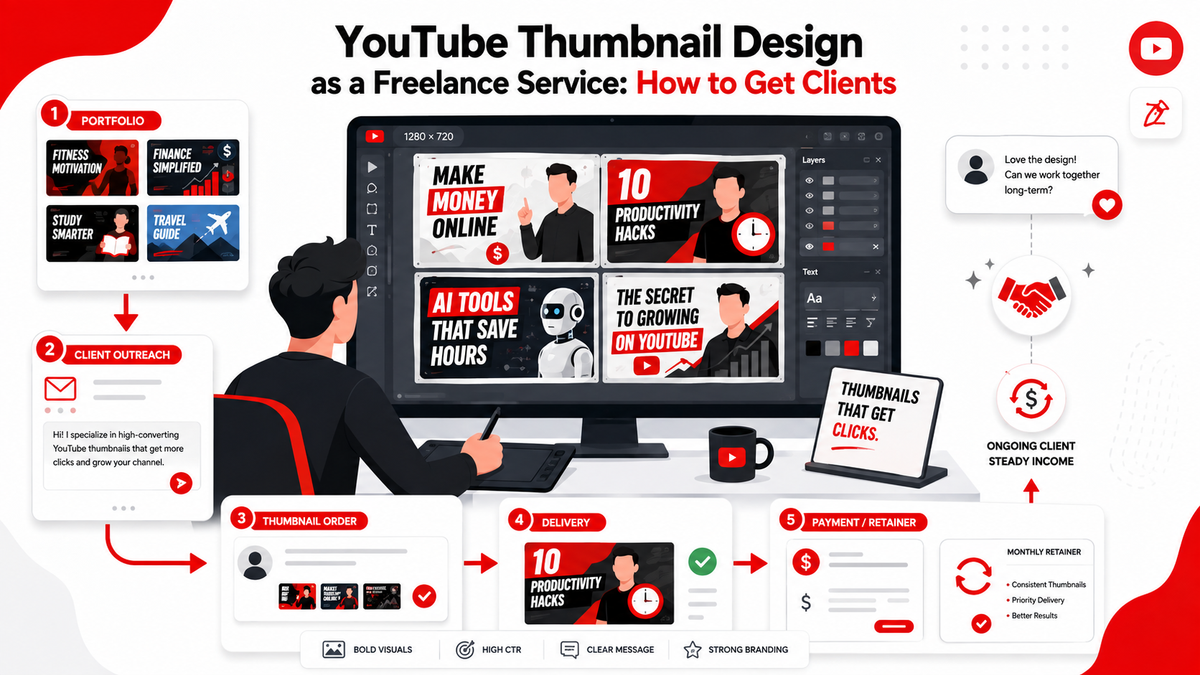
Watch any successful creator's workflow and you will find the same pattern: they treat thumbnails as the most important ten seconds of every video, and most of them still cannot make their own worth a click. That gap is a freelance business. Thumbnail design is the lowest-barrier entry into the creator-economy service market because the demand is constant — every upload needs a thumbnail — and the skill is learnable in weeks, not years. The market pays roughly $15 to $75 per thumbnail at the lower end, with monthly retainers turning one-off jobs into reliable income. This guide covers packaging, portfolio, pricing, client acquisition, and the delivery standards that keep clients coming back.
Introduction
Thumbnail design as a service looks easy from the outside and is surprisingly technical in practice: composition, contrast, face placement, text readability, and then the unforgiving part — the file must be exactly right. The designers who fail get filtered out by delivery problems, not talent. The ones who succeed deliver consistent, correct files at scale and treat the business like one. This guide walks through why creators outsource, how to package what you sell, how to build a portfolio that lands clients without a following, how to price per-thumbnail versus monthly retainers, and how to use quality-check tools to never send a broken file.
Why Creators Outsource Thumbnails
The reason this market exists is simple: creators are not designers, and their time is worth more on camera than in Photoshop. A creator making one or two videos a week has to spend two to four hours per thumbnail at their skill level — or pay you $25 for the same result in thirty minutes. That trade becomes obvious to every creator the moment their channel starts earning, which is why thumbnail design is one of the first things creators outsource. The market is also enormous and permanent. Every monetized channel uploads weekly, and the number of creators outsourcing grows every year. You are not fighting for a shrinking pie; you are building a client roster in a market that renews itself every upload.
Packaging a Thumbnail Service
Creators do not buy 'thumbnails.' They buy a faster, better-looking version of a decision they already have to make. Package your service around that. A clean service offer looks like:
- Deliverable: one 1280x720 thumbnail file, PSD or Figma source included.
- Turnaround: 24 to 48 hours standard, 12-hour rush for a surcharge.
- Revisions: two included, more on a revision fee.
- What you need from them: the video title, the hook, the subject's photo if they do not appear in the thumbnail, and the niche references.
- The quality guarantee: every file delivered at the correct size with all critical elements inside the safe zone.
Write that as a simple three-line offer on a page, not a wall of text. Creators skim. The words that close the deal are '24-48 hours,' 'two revisions,' and 'correct 1280x720, safe-zone checked.' One more packaging decision: define your niche limits up front. A designer who accepts every brief from gaming to cooking to corporate training delivers mediocre work in half of them, and the mediocre half is what clients remember. Choose one or two niches you genuinely understand — the packaging conventions, the colors, the audience expectations — and turn down the rest or charge a premium for learning them. Clients feel the difference between a designer who knows their niche and one who is improvising, and niche focus is also what makes your portfolio read like a specialist's instead of a generalist's.
Building a Portfolio That Wins Clients
You do not need a big channel or design degree to win clients; you need a portfolio that shows consistent, niche-appropriate work. Here is the fastest way to build one:
- Redesign real thumbnails. Pick ten popular videos in a niche and redesign their thumbnails from scratch, better. Post them side by side with a one-line note on the improvement.
- Show before and after pairs, not isolated pieces. The comparison is the persuasion.
- Build three mini-portfolios in three niches — gaming, education, and finance, for example — because a creator in finance wants proof you understand finance packaging, not that you can design gaming thumbnails.
- Display every thumbnail at actual video size in a 16:9 grid, never on a decorative mockup that hides how it reads small.
A portfolio with ten strong pieces in a client's niche beats a portfolio with fifty random pieces every time. Where you show the portfolio matters too. Host it as a simple gallery page with each thumbnail at actual display size and a one-line caption under each — the niche, the change you made, and the result you were chasing. Creators will scroll this on a phone, so anything that requires a desktop browser or a password is a filter that costs you work. If you can show a before-and-after with a small view-count lift attached, do it; proof of impact is the strongest sentence a portfolio can carry.
Pricing: Per Thumbnail vs Monthly Retainer
Two pricing models dominate, and they serve different stages. Per-thumbnail pricing — roughly $15 to $75 at the lower end of the market, more for complex or rush work — is the right way to start because it lowers the buyer's risk and builds testimonials. The downsides: income is lumpy, and every sale requires hunting. Monthly retainers are the better business. A typical retainer covers five to ten thumbnails a week for a flat monthly fee, commonly $300 to $1,500 depending on volume and niche, and it turns your income predictable. Creators on a retainer think of you as part of their production team, which makes them loyal and likely to refer. The standard move is to win a few per-thumbnail clients, then pitch the retainer once they have seen your consistency: 'You're paying me $40 a thumbnail. For eight a week, a retainer gives you a $100 discount and priority turnaround.' The math closes itself. Pricing also needs a floor, and the floor is your time. If a rush order, three revision rounds, and a redesign request collapse a $40 job into four hours of work, you are making $10 an hour and teaching the client that your time is cheap. Define the scope in the pricing — two revisions, one concept, standard turnaround — and charge add-ons for everything else: a second concept, extra revisions, rush delivery, source-file-only. The designers who stay in this business treat the terms as part of the product, not as fine print, and their retainers last because the economics hold for both sides.
Finding Your First Clients
Cold outreach works in this niche because creators can see quality instantly. The sequence: find channels posting consistently with thumbnails clearly made by the creator, watch for the ones whose views look depressed relative to their content quality, and send a short personalized message with a free redesign of one of their videos attached. A free taste of a better thumbnail outperforms any pitch. Where to find them:
- YouTube comments and Community posts from creators who are clearly DIY-ing their packaging.
- Creator-focused Facebook groups and Discord servers where creators ask for thumbnail help weekly.
- Freelance marketplaces and creator-hub job boards, where a portfolio link plus a niche gets you in.
- Former classmates, colleagues, and local businesses with channels — the warmest leads convert best.
Follow a simple rule: ten pitches a day, personalized, with a sample. The niche and the volume matter more than the polish of the pitch. Referrals become the best channel quickly, and they are worth building on purpose. When a client approves a thumbnail they love, ask for the one-line referral in the same conversation: if they know another creator who could use better thumbnails, you will give them a free design for any introduction. Referrals arrive pre-sold, negotiate less, and often become retainers faster than cold leads. A client roster built on referrals is also less price-sensitive, which is the quiet reason experienced designers raise rates without losing clients.
Delivering Correct, Compliant Files
This is where freelance thumbnail designers earn or lose their reputation. YouTube displays thumbnails at 1280x720 with a 16:9 aspect ratio, and the platform compresses and crops across devices — which is exactly why the safe zone matters. The safe zone is the central area of the frame where your text, faces, and logos must sit so that nothing gets clipped on small screens, TV boxes, or when YouTube regenerates the image. Elements pushed to the edges are the number one amateur tell. Your delivery checklist: export at exactly 1280x720 (or 1920x1080 scaled down), keep the file under 2 MB to avoid YouTube recompression, keep critical content inside the safe zone, and confirm the face and headline are readable at 100 pixels wide. Two or three extra minutes of checking per file turns a good designer into a reliable one, and reliability is the reason clients stay.
Using Thumbix Tools in Your Delivery Workflow
The Thumbix toolset removes the guesswork from that checklist and gives you a defensible 'checked' claim on every delivery. The Thumbix Thumbnail Resizer takes your design file and exports it at the correct 1280x720 size with the right aspect ratio — no more scaling mistakes, no more 'it looked fine in Figma' emails. The Thumbnail Safe Zone Checker verifies that your text, faces, and key elements sit inside the safe area, which is the difference between a thumbnail that reads everywhere and one that gets clipped on a phone. The Thumbnail Aspect Ratio Checker confirms the 16:9 proportions match YouTube's spec before you export. String them together as a delivery pipeline: design, resize, safe-zone check, aspect check, then send. Each file you ship comes with the quiet confidence — and the explicit claim, if a client asks — that it has been verified against YouTube's display requirements. That is a differentiator no amount of fancy mockups can beat. The other way to use the tools is as a client-facing proof point. When you send a delivery, include a one-line note: resized to 1280x720, safe-zone and aspect ratio verified. It costs you nothing and it answers the silent question every creator has — is this actually going to look right on YouTube? — before they ask it. Clients who never have to ask that question develop the trust that turns a first order into a retainer.
Final Takeaway
Thumbnail design is a service business with permanent demand, a short skill ramp, and a clear path to recurring income. Package what you sell in three lines, build a portfolio that proves niche fit with before-and-after pairs, start at $15 to $75 per thumbnail, and convert steady clients to retainers. The moat is delivery: correct 1280x720 files, elements in the safe zone, aspect ratio verified, every time. Run every file through the Thumbix resizer and checkers and you will ship a portfolio-worthy thumbnail with every job — and a portfolio-worthy reputation with every client.
Frequently Asked Questions
How much should I charge for YouTube thumbnail design?
Lower-end market rates run roughly $15 to $75 per thumbnail, more for rush or complex work. Monthly retainers of five to ten thumbnails a week commonly run $300 to $1,500.
Do I need a design degree to sell thumbnails?
No. You need composition sense, contrast judgment, and a reliable delivery workflow. A portfolio proving niche fit matters far more than credentials.
How do I find my first thumbnail clients?
Send personalized cold pitches with a free redesign of one of their thumbnails attached, targeting creators who clearly make their own. Volume and personalization beat polish.
What size should a YouTube thumbnail be?
1280x720 pixels at a 16:9 aspect ratio, exported under 2 MB, with text, faces, and logos kept inside the safe zone.
Per-thumbnail pricing or a monthly retainer?
Start per-thumbnail to lower buyer risk and collect testimonials, then convert regular clients to monthly retainers for predictable recurring income.
What is the thumbnail safe zone?
The central area of the 16:9 frame where critical content must sit so nothing is clipped on small screens, TV boxes, or regenerated thumbnails.
How many revisions should I include?
Two revisions is a common standard, with a revision fee beyond that. Clear revision terms prevent scope creep and keep per-job profit intact.
What tools should I use for quality control?
The Thumbix Thumbnail Resizer handles sizing, the Safe Zone Checker verifies element placement, and the Aspect Ratio Checker confirms 16:9 proportions before delivery.