Table of Contents
- What "4K" Actually Means
- What a YouTube Thumbnail Actually Is
- Is the Highest-Quality YouTube Thumbnail Actually 4K?
- YouTube's Thumbnail Resolution Tiers
- Why a 4K Video Doesn't Get a 4K Thumbnail
- Native Resolution vs. Upscaling
- Thumbnail URL Structure Explained
- Source Image Resolution vs. Downloaded Image Resolution
- Image Quality Beyond Resolution
- How to Download the Highest Available Thumbnail
- Where the "4K Thumbnail" Confusion Comes From
- Common Misconceptions Worth Correcting
- Using Thumbix for HD Thumbnail Downloads
- Frequently Asked Questions
YouTube's highest-resolution thumbnail (maxresdefault) is 1280x720, not 4K. Here's what that means for downloads and image quality.
You uploaded a video shot in 4K, so the thumbnail should be 4K too, right? It isn't, and understanding why clears up one of the most persistent misconceptions among creators. This article explains exactly what resolution YouTube thumbnails are actually delivered at, why shooting in 4K doesn't change that, and what you genuinely get when you download one.
What "4K" Actually Means
4K refers to a resolution of roughly 3840x2160 pixels (sometimes referred to as 2160p), named for its horizontal pixel count being close to 4,000. It's a video and display resolution standard, used for everything from 4K televisions to 4K camera footage. The key thing to understand is that "4K" describes pixel dimensions, not general "quality" in the abstract. An image or video is 4K if, and only if, it actually contains that many pixels of real captured or rendered detail.
Consumer familiarity with 4K mostly comes from televisions, monitors, and cameras, where the term reliably describes actual pixel count. That reliability doesn't automatically carry over to every image associated with video content, and thumbnails are a clear example of where the assumption breaks down.
What a YouTube Thumbnail Actually Is
A thumbnail is a single still image that represents a video in feeds, search results, and suggested videos. It can be auto-generated by YouTube from a frame of the video, or manually uploaded by the creator as a custom image. Either way, it is stored and served by YouTube at specific, fixed resolutions, independent of the resolution of the video it represents.
Is the Highest-Quality YouTube Thumbnail Actually 4K?
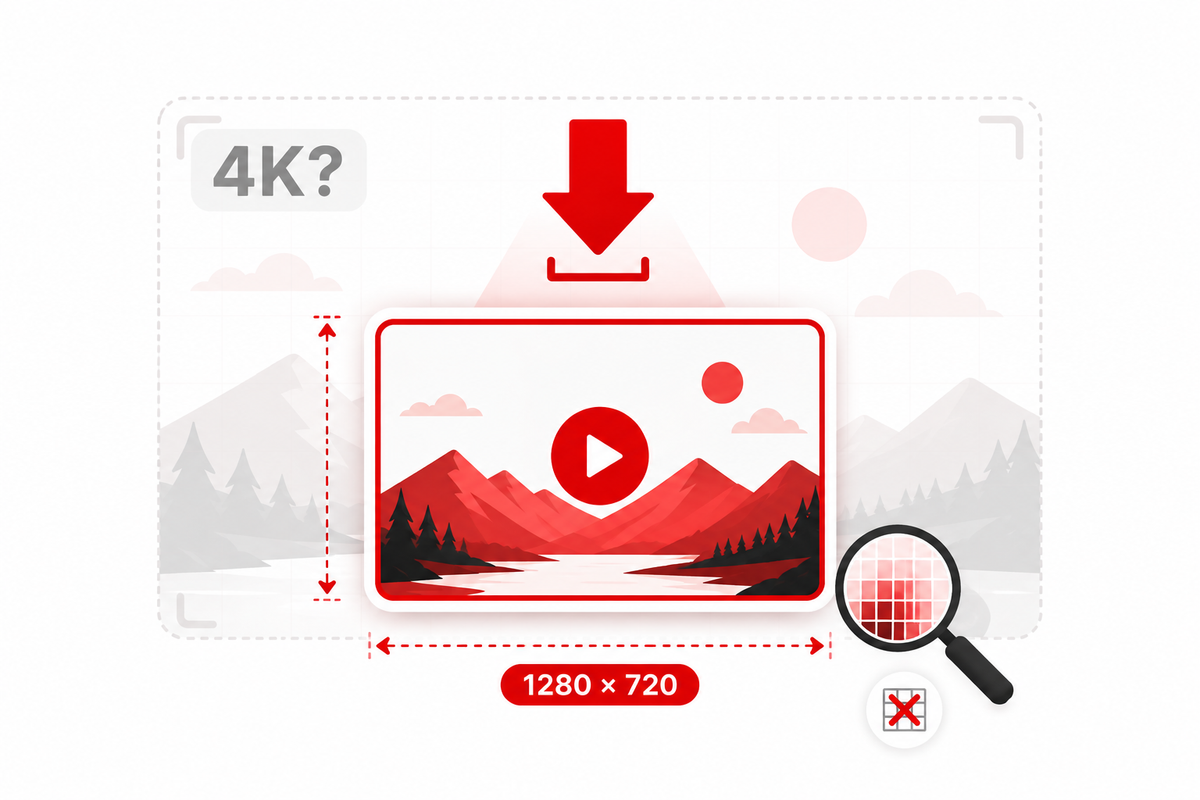
No. This is the central misconception this article addresses directly: maxresdefault, the filename YouTube uses for its highest-resolution thumbnail, delivers an image at 1280x720 pixels. That's 720p, sometimes called "HD," not 2160p ("4K"). The name "maxresdefault" refers to the maximum resolution YouTube's thumbnail system provides, not the maximum resolution technically possible, and definitely not 4K.
This holds true regardless of whether the underlying video was shot and uploaded in 4K, 1080p, or even lower resolution. The thumbnail pipeline caps out at 1280x720 for the "max resolution" version, with several smaller versions available below it.
YouTube's Thumbnail Resolution Tiers
YouTube generates several thumbnail sizes for every video, accessible through predictable, publicly known filename patterns. Here's how they break down:
| Filename | Typical Resolution | Common Use |
|---|---|---|
| default.jpg | 120 x 90 | Small preview thumbnails |
| mqdefault.jpg | 320 x 180 | Medium-quality previews |
| hqdefault.jpg | 480 x 360 | Standard-quality previews |
| sddefault.jpg | 640 x 480 | Standard-definition previews |
| maxresdefault.jpg | 1280 x 720 | Highest available resolution |
Not every video has a maxresdefault image available. If a creator didn't upload a custom thumbnail large enough, or if the video is old enough to predate the higher-resolution thumbnail pipeline, the maxresdefault file may not exist, and viewers or tools attempting to access it fall back to hqdefault or another smaller size instead.
Why a 4K Video Doesn't Get a 4K Thumbnail
It's an intuitive but incorrect assumption that a higher-resolution video source should produce a higher-resolution thumbnail. In practice, the thumbnail generation and storage pipeline is separate from video encoding entirely, and it's built around 1280x720 as its ceiling. Shooting, editing, and uploading in 4K affects the video stream viewers watch, which YouTube does serve at up to 4K (and higher, on some videos) for playback. It has no effect on the still-image thumbnail pipeline, which remains capped at 720p regardless of source resolution.
Native Resolution vs. Upscaling
This distinction matters because of what happens when someone tries to force a higher resolution than what's actually available.
Native resolution is the actual pixel detail captured by a camera sensor or rendered by design software, resized image, at the time the file was created. A native 1280x720 image contains 1280x720 pixels' worth of genuinely distinct visual information.
Upscaling is the process of enlarging an image beyond its native resolution using software interpolation. Tools and AI-based upscalers can make a 1280x720 image display at 3840x2160 or larger, but they do this by generating new pixels based on estimation and pattern-matching, not by recovering detail that was never captured in the first place.
The practical consequence: enlarging a maxresdefault thumbnail to 4K dimensions using an upscaler will not produce genuine 4K detail. It can, in some cases, produce a smoother-looking or upscaled version that's more pleasant to view at a larger size, but it is fundamentally reconstructing an approximation rather than revealing extra real information that was hiding in the original file. Anyone claiming to offer a "true 4K YouTube thumbnail download" is either misusing the term or offering an upscaled version of a 720p source.
It's worth being fair to upscaling tools here too: AI-based upscaling has genuinely improved over the years, and a well-upscaled thumbnail can look better than a naive stretch of the same file. But "looks better" and "contains genuine 4K detail" are different claims. If you need a thumbnail for a large-format use case, like a poster or a large monitor background, an upscaled version may be a reasonable practical choice, as long as you go in understanding it's an enhanced approximation, not a recovery of detail that was captured but somehow withheld.
Thumbnail URL Structure Explained
Every YouTube video has a set of predictable thumbnail URLs built from its video ID, following the pattern `https://i.ytimg.com/vi/VIDEO_ID/FILENAME.jpg`, where FILENAME is one of the tiers listed above (default, mqdefault, hqdefault, sddefault, or maxresdefault). This structure is why thumbnail downloader tools can work simply by parsing a video's ID out of its URL and requesting each size directly, rather than needing special API access for basic thumbnail retrieval.
It's worth noting that this predictable structure exists for every public video, but that doesn't mean every file at every URL will load successfully. If a particular tier was never generated, for example because a video's custom thumbnail source was too small to produce a valid maxresdefault, that specific URL returns an error or a placeholder rather than an image.
Source Image Resolution vs. Downloaded Image Resolution
It helps to separate three distinct resolutions that are easy to conflate:
- Source image resolution: the resolution of the file a creator uploaded (if they used a custom thumbnail) or the resolution YouTube extracted from a video frame (if using an auto-generated one). If a creator uploads a low-resolution custom image, that becomes the effective ceiling for that video, even below 1280x720.
- Native thumbnail resolution: what YouTube actually stores and serves for a given tier. For maxresdefault, this tops out at 1280x720 regardless of a higher-resolution source, since YouTube's thumbnail pipeline resizes larger uploads down to fit its standard tiers.
- Downloaded image resolution: what you actually receive when you save the file, which should match the native thumbnail resolution for whichever tier you request, assuming no upscaling has been applied by the tool you're using.
Confusion usually arises when people assume the "source" and "downloaded" resolutions should always match the video's own recording resolution. They don't, because the thumbnail pipeline is a separate, capped system.
Image Quality Beyond Resolution
Resolution is only one factor in how sharp or clean a thumbnail actually looks. Two other factors matter just as much:
- Compression: YouTube serves thumbnails as JPG files with a level of compression applied to keep file sizes small and loading fast across the platform. Heavier compression can introduce visible artifacts, especially around sharp text edges or high-contrast borders, even at the full 1280x720 resolution.
- Original source quality: a custom thumbnail built from a low-quality or heavily compressed source photo will look soft even at 1280x720, because resolution describes pixel count, not the sharpness or clarity of the content those pixels represent.
This is why two different maxresdefault thumbnails, both technically 1280x720, can look noticeably different in perceived sharpness. The pixel count is identical; the underlying image quality is not.
How to Download the Highest Available Thumbnail
Since 1280x720 (maxresdefault) is the genuine ceiling, the practical goal is simply making sure you're getting that version rather than accidentally downloading a smaller one, such as hqdefault at 480x360.
On any device, the general workflow looks like this:
- Copy the URL of the YouTube video from the address bar or the Share option.
- Open a thumbnail tool such as Thumbix and paste the URL.
- Select the highest-resolution option offered (typically labeled as HD or maxresdefault, at 1280x720).
- Download the image directly to your device.
On desktop (Windows or Mac): paste the URL into the tool, choose the highest available resolution, and the file saves to your default Downloads folder.
On Android: copy the link from the YouTube app's Share menu, paste it into your mobile browser, and save the resulting image to your device gallery.
On iPhone: the process is similar; copy the video link, open the tool in Safari or your preferred browser, and use "Save Image" from the long-press menu once the thumbnail loads.
None of these workflows require creating an account, installing a browser extension, or granting access to your own YouTube channel, since retrieving a public video's existing thumbnail only requires the video's URL.
If a specific video doesn't have a maxresdefault image available, the tool should indicate that the highest resolution it can retrieve is a smaller size, since there's nothing beyond native resolution to recover.
A quick way to sanity-check what you're actually getting: after downloading, check the image's properties (right-click > Properties on Windows, Get Info on Mac, or the file details view on mobile) and confirm the pixel dimensions read 1280x720. If a tool claims to deliver "4K" but the file properties show 1280x720 or smaller, the claim is inaccurate, or the file has been artificially upscaled after the fact.
Where the "4K Thumbnail" Confusion Comes From
The mix-up is understandable, since it stems from a few overlapping trends rather than a single mistake. First, the term "4K" has become a loose marketing shorthand for "high quality" across consumer electronics, well beyond its precise technical meaning, so it's natural for creators to expect it to apply to any high-quality image, including thumbnails. Second, many third-party thumbnail sites market their maxresdefault downloads using language like "HD" or "high resolution" and, in less careful cases, "4K," without clarifying that this refers only to the 1280x720 ceiling YouTube itself provides. Third, because 4K video has become common and creators are used to thinking in 4K terms for their footage, it's an easy, if incorrect, assumption that the accompanying still image would follow the same standard.
Being precise about this matters most when creators are making decisions based on it, such as assuming they can print a thumbnail at a large size for merchandise or promotional material, expecting detail that a 1280x720 source simply doesn't contain.
Common Misconceptions Worth Correcting
"Every YouTube video has a 4K thumbnail." No video has a 4K thumbnail through YouTube's standard thumbnail pipeline. The ceiling is 1280x720 regardless of the video's own resolution.
"maxresdefault means 4K." The name refers to the maximum resolution YouTube's thumbnail system provides, which is 1280x720, not the maximum resolution used in video or display standards.
"Upscaling recovers hidden detail." Upscaling estimates new pixels based on the existing image; it does not reveal detail that wasn't captured in the original file.
"A bigger downloaded file means better quality." File size depends heavily on compression and format, not just resolution. A well-optimized 1280x720 JPG can look sharper than a poorly compressed, artificially upscaled larger file.
"Old videos have the same thumbnail options as new ones." Some very old videos or videos where the creator uploaded a low-resolution custom thumbnail may not have a maxresdefault version available at all, meaning the effective ceiling for that specific video is lower than 720p.
Using Thumbix for HD Thumbnail Downloads
Thumbix retrieves the highest-resolution thumbnail actually available for a given video, up to the genuine 1280x720 (maxresdefault) ceiling, and makes it accessible on desktop, Android, and iPhone without requiring an account. Since 4K thumbnail files don't exist within YouTube's system, the realistic and honest goal for any downloader, including Thumbix, is retrieving the best real version rather than promising a resolution the platform never generates in the first place.
This distinction is also useful context for creators deciding how to design their own custom thumbnails: since 1280x720 is the real ceiling, there's little benefit to designing at 4K resolution and hoping for extra sharpness. It's more productive to design cleanly at 1280x720 (or a clean multiple like 1920x1080 for extra editing headroom) and focus effort on composition, contrast, and legibility, which affect perceived quality far more than exceeding a resolution ceiling YouTube's system will resize down anyway.
Frequently Asked Questions
Can you download a 4K YouTube thumbnail?
No. YouTube's highest available thumbnail resolution, maxresdefault, is 1280x720 (720p), not 4K (2160p). No thumbnail download tool can retrieve a genuine 4K thumbnail because YouTube doesn't generate one.
What resolution is maxresdefault?
Maxresdefault is 1280 pixels by 720 pixels. The name refers to the maximum resolution in YouTube's thumbnail system, not a reference to 4K or any higher standard.
Does uploading a 4K video give me a 4K thumbnail?
No. Video resolution and thumbnail resolution are handled by separate systems. A 4K video is served to viewers at up to 4K for playback, but its thumbnail is still capped at 1280x720.
Why doesn't my video have a maxresdefault thumbnail?
This typically happens with older videos or videos where the creator's uploaded custom thumbnail was smaller than 1280x720. In those cases, tools fall back to a smaller available size, like hqdefault.
Can I upscale a thumbnail to make it look like 4K?
You can enlarge it using an upscaling tool, but this generates estimated pixels rather than recovering genuine additional detail. It won't match the sharpness of an image that was actually captured at 4K resolution.
What's the difference between HD and 4K for thumbnails?
HD (720p or 1080p) refers to lower resolutions than 4K (2160p). YouTube's maxresdefault thumbnail sits at 720p, which is HD, not 4K, regardless of how the term gets used in marketing.
How do I get the best possible thumbnail quality from YouTube?
Make sure you're retrieving the maxresdefault (1280x720) version rather than a smaller fallback size, and avoid unnecessary upscaling, which can introduce artifacts without adding genuine detail.