Downloaders
Playlist Thumbnail Downloader — Grab Every Thumbnail at Once
Paste any YouTube playlist link and download every video thumbnail from it in full HD — free, fast, and with no signup. Browse the grid, pick the shots you need, and copy the links.
Playlist Thumbnail Downloader
Extract any playlist ID and grab the HD thumbnail of the video inside it — free, no watermark.
Bulk extraction
Introduction
Playlists are where creators and marketers spend hours hunting for thumbnails. You want to review a series, reuse a batch of cover images, check competitor packaging, or pull every thumbnail from a client's uploads into one folder. Doing that manually means opening every video one at a time, right-clicking each image, and saving it with a random filename. The Thumbix Playlist Thumbnail Downloader collapses that whole workflow into one paste. Give it a playlist link and it reads every video in the list, shows you a thumbnail grid with quality options, and lets you download the full HD versions you actually need — in seconds, with everything handled in your browser.
How to use Playlist Thumbnail Downloader
Open the tool
Go to thumbix.site and open Playlist Thumbnail Downloader.
Copy a playlist link
Use the URL from the address bar on any YouTube playlist page.
Paste and press Get Thumbnails
The tool reads every video in the playlist and builds the grid.
Review the grid
Scroll the covers, checking quality and order.
Pick a quality
Choose the resolution you want for the covers you need.
Download or copy
Save individual thumbnails or copy their direct image links.
What Is This Tool?
A Playlist Thumbnail Downloader is a batch utility that extracts the cover image of every video in a YouTube playlist. YouTube stores each video's thumbnail at a predictable address, so a playlist link gives you everything needed to fetch them all. The tool parses the playlist, resolves each video, and presents the thumbnails in a clean grid with quality options for every entry.
This is the same convenience that a single-video thumbnail downloader provides, scaled to an entire playlist. Instead of visiting 40 videos and saving 40 images by hand, you paste one link and review every cover in one place.
Why Use This Tool?
- It saves hours. A full playlist is processed in one paste instead of one video at a time.
- It keeps the grid. Every thumbnail appears in order, so reviewing a whole series of covers is effortless.
- It gives you choices. Each thumbnail can be downloaded at several quality levels, up to full HD where available.
- It is honest about limits. Videos without a high-resolution image fall back to the best available quality, so you never get a broken link.
- It is private and free. Everything runs in your browser; nothing is uploaded to any server.
Who Should Use This Tool?
- Creators who publish series and want to keep every episode cover in one folder for review.
- Editors and designers who reuse thumbnail style elements across many videos in a client's playlist.
- Marketers and agencies who audit competitor playlists and study their cover packaging in batches.
- Researchers and analysts who collect visual data across many videos and need the images on disk.
- Anyone who manages playlists and wants a single source for all of their cover art.
How Does It Work?
The tool processes a playlist in a simple, transparent sequence:
- It reads the playlist ID from the link and fetches the list of videos it contains.
- It resolves each video's thumbnail URL across the available quality levels.
- It renders a responsive preview grid, one cover per video, in playlist order.
- It gives each thumbnail its own download button and copy button for the image link.
Because the work happens locally in your browser, there is no queue, no account, and no rate limit to fight.
Real-World Use Cases
- A series review. A creator pastes their own tutorial playlist and browses the grid to check which episode covers look consistent before a relaunch.
- A client deliverable. An editor pulls every thumbnail from a client's playlist into a folder and builds a shared gallery for approvals.
- A competitor study. An agency downloads a rival's full playlist covers to analyze color, text, and face placement patterns across a quarter.
- An archive backup. A channel owner snapshots all of their playlist covers before a rebrand so nothing from the old look is lost.
Best Practices
- Use the quality picker thoughtfully. Full HD (1280×720) is great for review boards, but the standard definition version is often enough for documents and spreadsheets.
- Download individual covers you need rather than everything at once to keep your drive clean.
- Save with meaningful filenames. Most browsers name downloads after the video, which keeps a playlist's covers in order.
- Pair with the Thumbnail Downloader for a single video and the Channel Banner Downloader for channel assets when you need the complete set.
A playlist is a collection of videos — and, conveniently, a collection of thumbnails. Batching the download is just honoring that structure.
Playlist Structure and Thumbnail URLs
How playlist links are shaped
Playlist links look like youtube.com/playlist?list=PLAYLISTID or include the list= parameter on a watch link. The tool accepts both, ignores the extra tracking parameters, and focuses on the collection you pasted.
The quality ladder
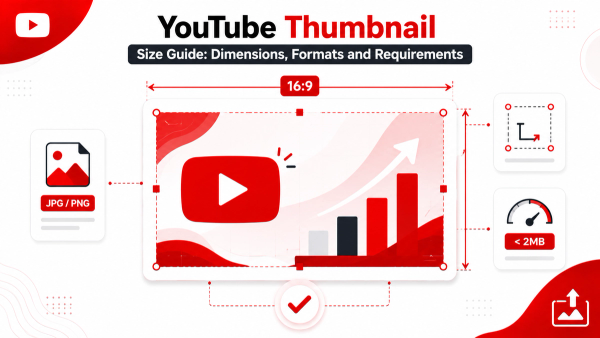
YouTube generates a thumbnail for every video and serves it at several resolutions: default (120×90), mqdefault (320×180), hqdefault (480×360), sddefault (640×480), and maxresdefault (1280×720). Not every video has the top two sizes — older uploads sometimes stop at hqdefault — so the tool falls back gracefully to the best available quality rather than failing.
Why some thumbnails are missing HD
maxresdefault only exists for videos that received a high-resolution upload. If a playlist contains a mix of old and new content, you will see a mix of sizes. That is expected, and the tool tells you which quality each entry actually got.
Comparing Playlist Downloads vs. Single Downloads
The single-video Thumbnail Downloader is ideal when you need one cover, at maximum quality, immediately. The playlist version shines when volume matters more than speed on any individual item. Most workflows use both: download one hero thumbnail for a landing page, then batch the rest of the series for internal files.
Troubleshooting Common Issues
- The playlist doesn't load — double-check the link. A watch link without a list= parameter has no playlist to read.
- A thumbnail shows at lower quality — that video simply doesn't have a higher-resolution image available. It's a YouTube-side limitation, not a tool error.
- A private or deleted video is skipped — thumbnails only exist for videos that are still reachable.
- Very long playlists take a moment — each video is resolved in your browser, so thousands of entries process progressively in the grid.
Conclusion
The Playlist Thumbnail Downloader turns a tedious, video-by-video chore into a single paste. Review a whole series of covers in one grid, download the full HD images you need, and keep every file organized by video. It's free, unlimited, and runs entirely in your browser. Start with a playlist link, then pair it with the single-video Thumbnail Downloader or the Thumbnail Resizer to polish any cover before publishing.
Common Mistakes to Avoid
- Pasting a watch link without a playlist — a list= parameter is required to find the playlist.
- Downloading every cover at max quality when most use cases only need standard definition — HD files add up quickly.
- Expecting HD from old uploads — videos that never received a high-res upload simply don't have a larger thumbnail.
- Treating private playlists as public — the tool can only see what is publicly visible.
- Skipping the grid review — checking covers before downloading catches duplicates and stale images.
Frequently Asked Questions
Paste the playlist URL into the tool, press Get Thumbnails, and each video's cover appears in a grid. Download the ones you need individually or copy their image links.
It builds a grid of every thumbnail in the playlist, and each one has its own download button. You choose which covers to save.
Every thumbnail is available at several resolutions up to 1280×720 (maxresdefault) when the video has one. Lower-resolution fallbacks are used otherwise.
A playlist link is required. For a single video's thumbnail, use the regular Thumbnail Downloader.
Thumbnails are images displayed publicly by YouTube. This tool downloads public thumbnail images only — it never touches video content or the videos themselves.
No. The tool only reads thumbnails from public playlists. Private playlists require a YouTube login, which this tool does not use.
The tool skips videos that no longer exist or no longer have a reachable thumbnail, so the rest of the grid stays clean.
Yes, entirely. There is no signup, no watermark, and no download limit.
Yes, the grid and downloads work in any modern browser, desktop or mobile.
No. Process as many playlists as you like, as often as you like.
Download every playlist thumbnail in seconds
Paste a playlist link, browse the grid, and save the full HD covers you need — free, unlimited, and entirely in your browser.
Try the Playlist Thumbnail Downloader